Great content for digital signage: 25 ideas
Estimated reading time: 8 minutes
A lot of Digital signage screens start with good intentions and end up showing the same tired loop for weeks. The hardware is there. Some content is live. But the channel is not doing much heavy lifting.
That usually is not a screen problem. It is a content problem. When Digital Signage is treated like a dumping ground for leftovers, people stop seeing it. When it is treated like a living channel, it can inform, connect, guide, and protect.
If you manage content for Digital Signage, whether you sit in communications, HR, marketing or anything else, the real question is simple: what should we actually put on the screens to make them useful every day? Here are 25 ideas that help turn Digital Signage into a channel people notice, trust, and benefit from.
The simplest way to plan better content
One practical way to keep Digital Signage useful is to stop thinking in formats and start thinking in outcomes. A helpful framework is this: use your screens to keep people informed, engaged, productive, and safe. When your content mix covers all 4 in a balanced way, you’re on the right path.
Informed
1. Company-wide announcements
Use screens for major updates that should be seen by everyone. Branch openings, leadership changes, strategy rollouts, organization-wide milestones and so on.
2. Roundups
A daily or weekly roundup is one of the easiest ways to make screens genuinely useful. Think of it as the digital version of a morning briefing: 3 to 5 key items, plain language, and no fluff.
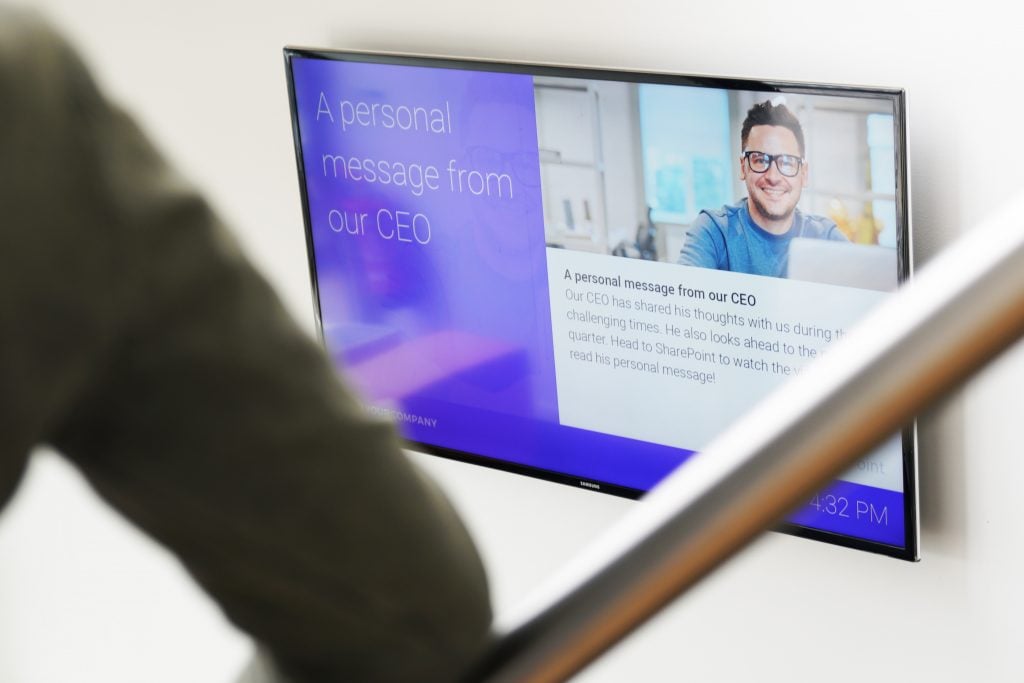
3. Leadership messages
A short quote from a leader often lands better on screen than a polished corporate paragraph. Use a strong line, a photo, or a short video clip so the message feels personal and direct instead of formal and distant.
4. Project and campaign updates
People like knowing what is going on, especially when a project affects their team, location, or customers. Show milestones, launch dates, countdowns, and progress markers to keep employees up to date.
5. IT and system notifications
Maintenance windows, platform outages, password resets, and tool changes belong on tv screens because everyone needs to see them. This is especially useful for people who are not glued to a desk all day but still need to know what will affect their work.
6. Policy and process changes
Most policy changes are too long for a full explanation on screen. But Digital Signage is perfect for the headline version: what changed, who is affected, when does it start, and where to go for the full details.
7. Event announcements and reminders
Town halls, benefits deadlines, training days, volunteer events, and office celebrations deserve more than one mention. Use pre-event promotion, day-of reminders, and last-call slides so people get several chances to notice.
8. Intranet activation
Use your tv screens to give important intranet content more attention. Highlight SharePoint news, run a top ‘3 intranet updates this week’ slide, remind people about expiring pages, repost underperforming articles with a stronger hook, and stretch key campaigns with repeated snippets so good content does not disappear after publishment.
Engaged
9. Employee recognition
Birthdays, work anniversaries, certifications, awards, and team wins help people feel seen and connected. This kind of content does not just fill space, it signals what the organization values and brings people together.
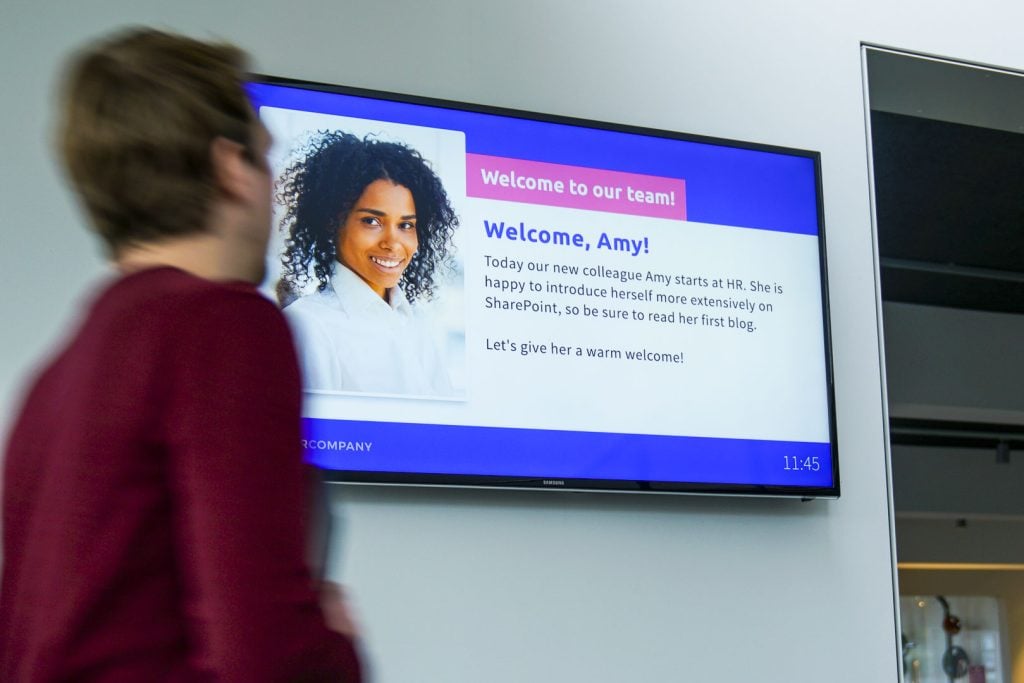
10. New hire introductions
A simple “meet your new colleague” slide can do more for connection than a long onboarding email. Add a photo, role, location, and one personal detail so the introduction actually sticks.
11. Team or department spotlights
Most employees have only a fuzzy idea of what other teams do. Spotlighting departments helps people understand the bigger machine around them, and it gives quieter teams a moment in the light.
12. User-generated content
Photos from events, shoutouts between colleagues, and small team wins often outperform polished corporate content because they feel real. The trick is to make participation easy and keep a light editorial hand.
13. Culture and values in action
If your values only appear in onboarding decks, they are probably not doing much. Screens are a good place to show real examples of people living those values in everyday work.
14. Polls and quick feedback moments
A screen can ask a fast question just as well as it can show a message. Pulse checks, mini polls, and QR-based feedback prompts give people an easy way to respond instead of only receiving information.
Productive
15. Operational updates
Screens are great at carrying practical information that helps people do their jobs. Logistics changes, workflow updates, stock status, route changes, service interruptions, or production notes all belong here when they are timely and targeted.
16. Shift schedules and planning reminders
For shift-based environments, clear planning information can save a surprising amount of confusion. Use Digital Signage for schedule reminders, shift swaps, staffing notices, and important deadlines.
17. KPI dashboards that mean something
Dashboards work best when they answer a real team question, not when they dump 12 metrics on a wall. Show the numbers people can influence, keep the visual simple, and explain why the metric matters. Integrations with tools like power BI to automatically display and update statistics are of great help here.
18. Training reminders and microlearning
Screens are ideal for short learning moments. Safety refreshers, service tips, compliance reminders, product knowledge, and one-question quizzes can reinforce knowledge without asking people to interrupt their work.
19. Facility and availability updates
Room closures, maintenance work, parking changes, meeting room status, cafeteria updates, and visitor guidance all make the workplace easier to navigate. Keep this category focused on practical site information, and let live feeds handle broader outside context.
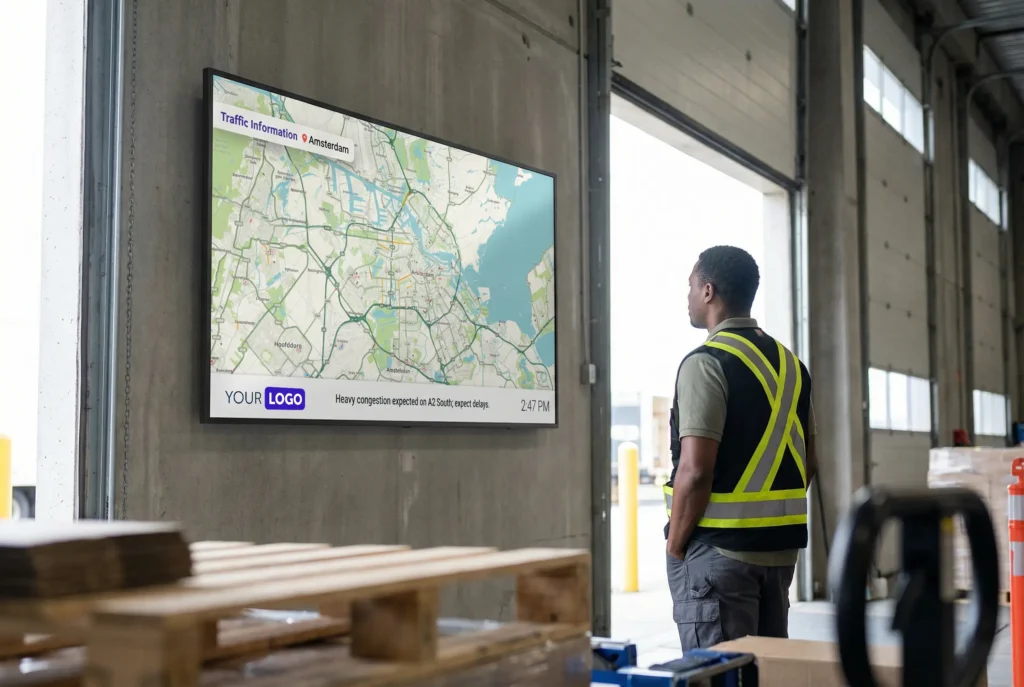
20. RSS-powered general information
RSS feeds are useful when you want screens to quietly keep people up to speed without manual effort. Weather, traffic disruptions, industry headlines, financial updates, and organization-relevant news can all add helpful context to the day, especially for shift prep, commuting decisions, logistics teams, and frontline environments.
Safe
21. Critical alerts
Urgent messages need visibility, not wishful thinking. When something serious happens, TV screens can reinforce the same alert people may also receive through desktop, mobile, or other channels.
22. Crisis updates and follow-ups
The first alert is only the start. During disruptions, people also need follow-up communication that tells them what has changed, what is still unknown, and what they should do next.
23. Safety instructions and reminders
Digital Signage is well suited for repeated exposure of practical safety behavior. Think equipment checks, hygiene steps, incident reporting instructions, or role-specific safety prompts.
24. Compliance communication
Mandatory behavior is easy to ignore when it lives in a PDF nobody opens twice. Short, repeated Digital Signage messages can keep essential rules visible and top of mind.
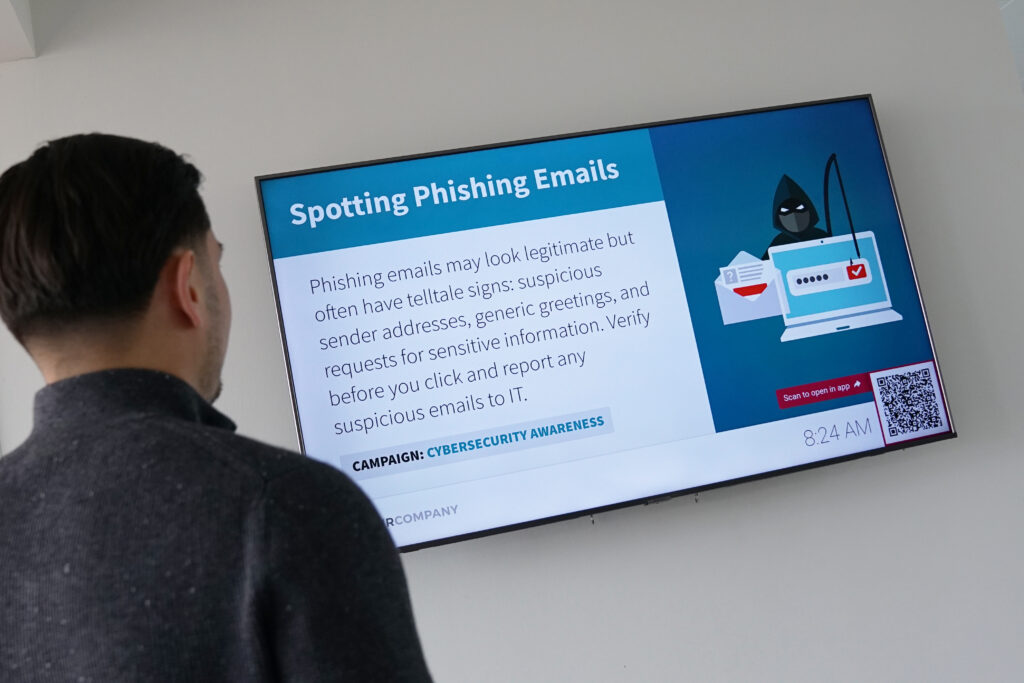
25. Cybersecurity awareness
A lot of security mistakes happen in a rushed moment, not because people do not care. Regular reminders about phishing, password hygiene, data handling, and suspicious links help keep the basics close to the surface.
A few habits that make all 26 ideas work better
Whatever content mix you choose, a few habits make the difference. Keep slides readable from a distance. Write for 10 seconds, not 2 minutes. Refresh content before it goes stale. And do not let every department throw whatever it wants onto the screens without a little ownership and prioritization.
The best Digital Signage setups are not the busiest ones. They are the ones people learn to trust. If the content is timely, relevant, and clearly made for the real workday, employees keep looking. That is how this channel earns it place.
Conclusion
Digital Signage works best when it is treated as an active part of employee communication, not a spare screen that needs something to show. A strong content strategy gives every screen a purpose: to inform, engage, support work, and help keep people safe.
What type of content is most effective on digital signage screens?
The most effective digital signage content is visually engaging, brief, and relevant to the viewer’s location or role. Examples include real-time company news, KPI dashboards, employee recognitions, safety reminders, weather forecasts, and motivational quotes. The key is to rotate content regularly to maintain interest and relevance.
How often should I update the content on our digital signage screens?
Ideally, digital signage content should be refreshed daily or weekly depending on the message type. Dynamic content (e.g., news feeds, KPIs, birthdays) can be updated automatically, while static campaigns (e.g., internal initiatives) should rotate at least bi-weekly to prevent screen fatigue.
Can I target specific content to different locations or departments?
Yes, Netpresenter’s digital signage solution allows content segmentation based on location, department, screen type, or audience group. This ensures that each group sees only the most relevant and impactful content, increasing engagement and message effectiveness.
How is pricing calculated?
Our pricing is based on the tools you want to use and the number of employees or devices you want to reach. Whether you start with a single tool or combine multiple ones, our modular pricing offers maximum flexibility so you only pay for what you truly need. To further enhance your platform’s capabilities, optional premium add-ons are available and can be included in your pricing.
Do I need a graphic designer to create appealing digital signage content?
Not necessarily. While custom-designed content can enhance impact, Netpresenter provides templates, layout tools, and integrations that enable non-designers to create professional, branded messages quickly. You can also automate visuals using data integrations or content feeds.
How can I measure the effectiveness of the content displayed on digital signage?
You can track effectiveness through engagement metrics such as screen dwell time, QR code scans, follow-up actions (e.g., intranet visits), and employee feedback. Netpresenter also offers analytics dashboards to monitor content performance and refine your messaging strategy over time.
Why is the Corporate Screensaver also called “Desktop Digital Signage”?
The corporate screensaver can also be seen as ‘desktop digital signage’ because it transforms idle PC screens into dynamic displays of corporate information. This extends the reach of traditional digital signage to individual desktops, ensuring important updates are visible to all employees, including those working remotely. By leveraging existing hardware, it provides a cost-effective solution that enhances communication and engagement within the organization, even bringing digital signage to the home offices of remote workers.
Do I need to schedule a demo to try Netpresenter?
No need to wait for a live demo — just take the self-guided tour at your convenience. It’s quick, clear, and available 24/7.
When should I take a Guided Tour instead of requesting a demo?
A Guided Tour is ideal when:
- You want a quick, on-demand overview without scheduling a meeting.
- You are early in the decision-making process and exploring solutions.
- You want to share an internal preview of the software with colleagues or stakeholders.
Or schedule a personalized free 30-minute demo with one of our consultants to discover the power of our platform. They would love to show you everything Netpresenter has to offer.