













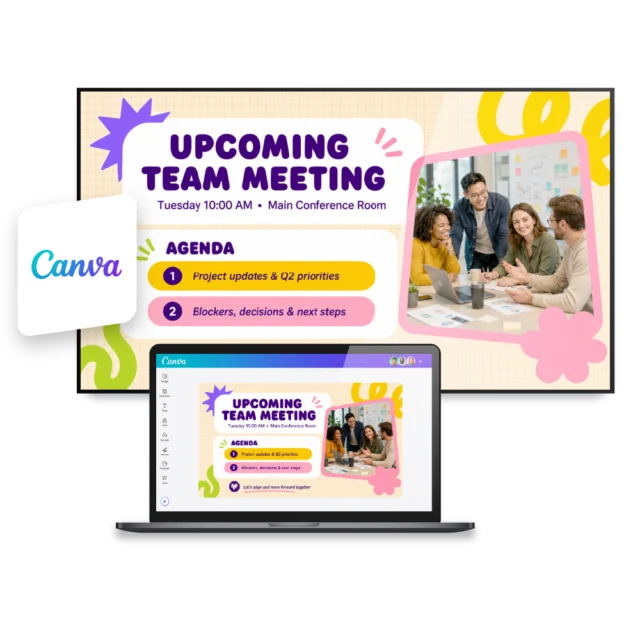
Canva is a powerful tool for creating visual internal communication content, but creating content is only part of the process. Once designs need to appear on screens across the organization, it often creates extra work through downloading, uploading, and republishing updates. By connecting Canva with Netpresenter, you can automatically display Canva content on Digital Signage and PC screens, ensuring your visual communication gets the attention it deserves.
Create in Canva, publish through Netpresenter
Keep using the design tool your team already knows. Add a Canva embed link to a Netpresenter slide and automatically display your content on digital signage and corporate screensavers across your organization. When you update your design in Canva, the latest version instantly appears on all connected screens, without additional manual steps.



“The Canva integration is so easy to use. We can keep creating in Canva the way we like, and Netpresenter makes sure our designs appear on every screen.”

Some of our valued customers





Netpresenter blog
Your Canva content, visible on every screen
More communication teams are creating visual content in Canva. But making sure employees actually see it can still mean downloading, uploading, managing versions, and republishing updates. That is why Netpresenter makes it easy to display Canva content directly on every screen.
A Trusted Pioneer in
Employee Communications
For decades, Netpresenter has been pioneering employee communications. Organizations worldwide trust our award-winning platform.







Some questions
already answered
Looking for more information? We’ve collected answers to the most frequently asked questions below. If your question is not listed, feel free to reach out – we’re happy to help!
Do I need to install anything?
No. You do not need to install anything extra. Simply select the Canva template in Netpresenter and paste the Canva embed link into the template.
Can I decide who sees my Canva design?
Yes. You can use the existing targeting settings in Netpresenter to determine which audience sees your Canva designs.
Can I share as many Canva designs as I want?
Yes. You can share unlimited Canva content by creating a separate slide for each piece.
What happens if the Canva link no longer works?
If the Canva link is removed or becomes inaccessible, the content cannot be loaded correctly. Make sure the embed link remains active and accessible.
Can I display multiple Canva pages?
Currently, we support one page per template. Support for multiple pages per template is under development.
Does animated Canva content work as well?
Yes. Animated Canva content, such as moving elements and GIFs, is also supported within the integration.