

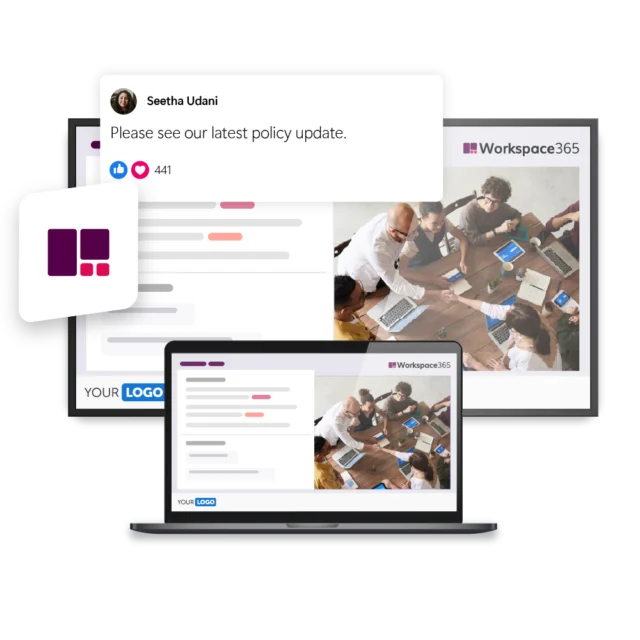
Workspace 365 helps organizations make information, tools, and updates centrally available to employees. Yet not everyone automatically sees that content. Some employees do not log in every day, while frontline workers often do not have a fixed workplace at all. With Netpresenter’s Workspace 365 integration, you can make important updates visible on screens throughout the organization, ensuring more employees actually see the information.
Make Workspace 365 visible to everyone
Valuable information in Workspace 365 only has an impact when employees actually see it. Netpresenter helps you actively display news, updates, and announcements on the screens and devices employees use every day. This increases the reach of your content and encourages Workspace 365 adoption across the entire organization.



“Updates from Workspace 365 automatically appear on TV screens throughout the organization. This ensures more employees see important information.”

Some of our valued customers





Netpresenter blog
Increase Workspace 365 adoption with Netpresenter
Many organizations invest significant time, budget, and effort into implementing Workspace 365. They create valuable content, publish important updates, and build a clear digital workplace. Yet employees do not always see what is new.
A Trusted Pioneer in
Employee Communications
For decades, Netpresenter has been pioneering employee communications. Organizations worldwide trust our award-winning platform.







Some questions
already answered
Looking for more information? We’ve collected answers to the most frequently asked questions below. If your question is not listed, feel free to reach out – we’re happy to help!
How easy is the Workspace 365 integration to set up?
The integration only needs to be set up once. After Workspace 365 is connected to Netpresenter, new messages published in Workspace 365 can automatically appear as visual slides on TV screens via Netpresenter. This makes it easy to bring important updates directly to employees’ attention without extra manual work.
How does this integration improve Workspace 365 adoption?
By actively promoting Workspace 365 content on screens and PCs, employees are reminded of the platform throughout the workday. This can drive more traffic back to Workspace 365 and increase engagement with the content published there.
How does the integration work?
Content from Workspace 365 can be displayed through Netpresenter as visual slides on digital signage screens and employee PCs. This allows communication teams to reuse existing updates and make them visible without relying on employees to search for them.
Why combine Workspace 365 with Netpresenter?
Workspace 365 is a central place for information, but employees still need to visit it. Netpresenter helps bring that information directly to their attention through workplace screens and automatically appearing slides on PCs.
What is the main benefit of this integration?
You can turn Workspace 365 updates into push communication by showing them automatically on TV screens and PC screensavers. This helps important news reach employees, even when they do not actively open Workspace 365.