5 Ways Digital Signage Benefits Healthcare
Estimated reading time: 5 minutes
Digital Signage helps healthcare organizations reach three audiences at once: staff who are on their feet all day, patients who are waiting, and visitors who are lost. Screens on the wards, at reception, and in waiting areas carry shift information, policy and safety updates, wayfinding, and urgent alerts, on every site and every shift.
A hospital never pauses, and neither does the information in it. Procedures change, departments move, waiting times shift by the hour, and the people who need to know are rarely at a desk. Email reaches the office, not the ward, and a printed notice is out of date by the time it is hanging. Here are five ways Digital Signage closes that gap, starting with the one healthcare organizations mention most.
Table of contents
1: Reach staff who are never at a desk
Nurses, care staff and technicians spend their shift moving between rooms, not reading email. A message sent at nine in the morning reaches the office immediately and the ward late, or not at all, and the night shift usually hears things last. Screens at the nurse station, in the staff room and at the entrance put the information where people already pass, and they keep showing it through the evening and the night, so every shift sees the same message without anyone having to repeat it. It is the natural replacement for the notice board or whiteboard: new policies, changed procedures, new treatments and upcoming training sessions appear on screen the moment you publish them, on the wards where they apply.
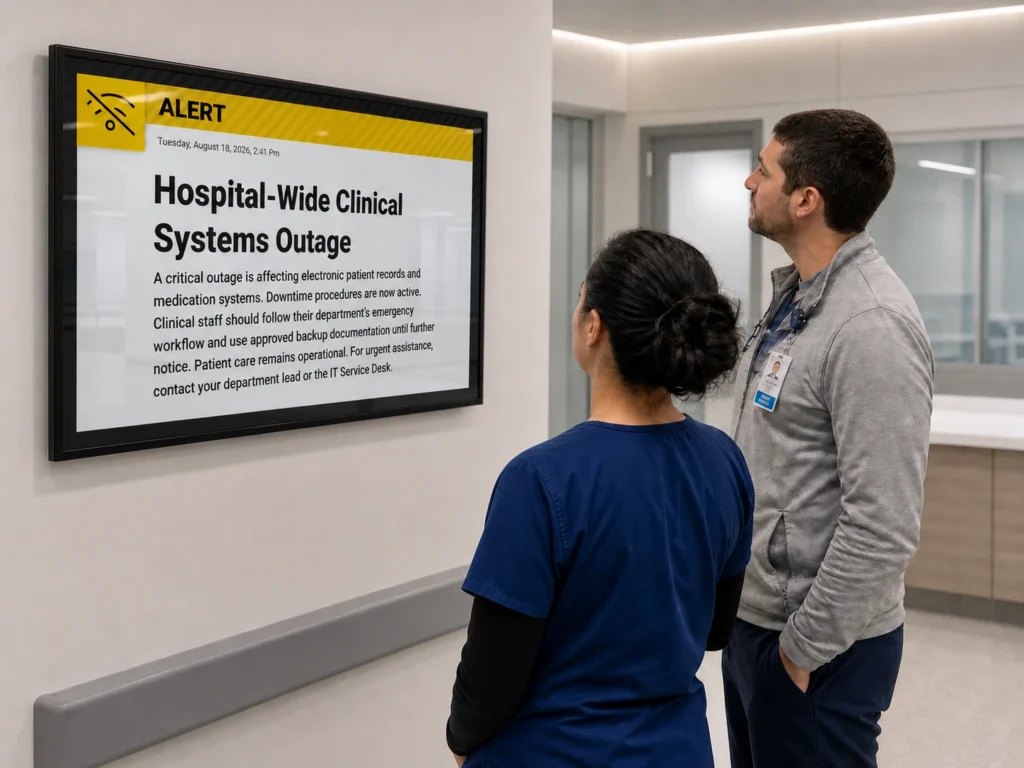
2: Alert everyone in seconds when it matters
When something goes wrong, such as a fire, an evacuation, a system outage or a security incident, the people in the building need to know before anyone picks up a phone. Screens can take over with a clear instruction in seconds, across a ward, a building or every site at once, reaching staff, patients and visitors at the same moment. One click is enough to put the message on every connected screen, which means the people who are furthest from the news normally are reached just as fast as the ones in the office. That makes the same screens you use for everyday updates part of your emergency communication too.
3: Make waiting feel shorter
Waiting is the part of a hospital visit people remember, and much of the frustration comes from not knowing how long it will take: unexplained waits feel longer than explained ones. Screens in a waiting area can show the estimated waiting time, the order of appointments, or simply the fact that there is a delay, which turns uncertainty into something people can plan around. AZ Nikolaas placed screens throughout the building with queue-management information, including at the emergency department, where waiting is hardest. The same screens can carry health tips, news, or the weather between updates, so the time passes more easily and staff spend less of it answering the same question.
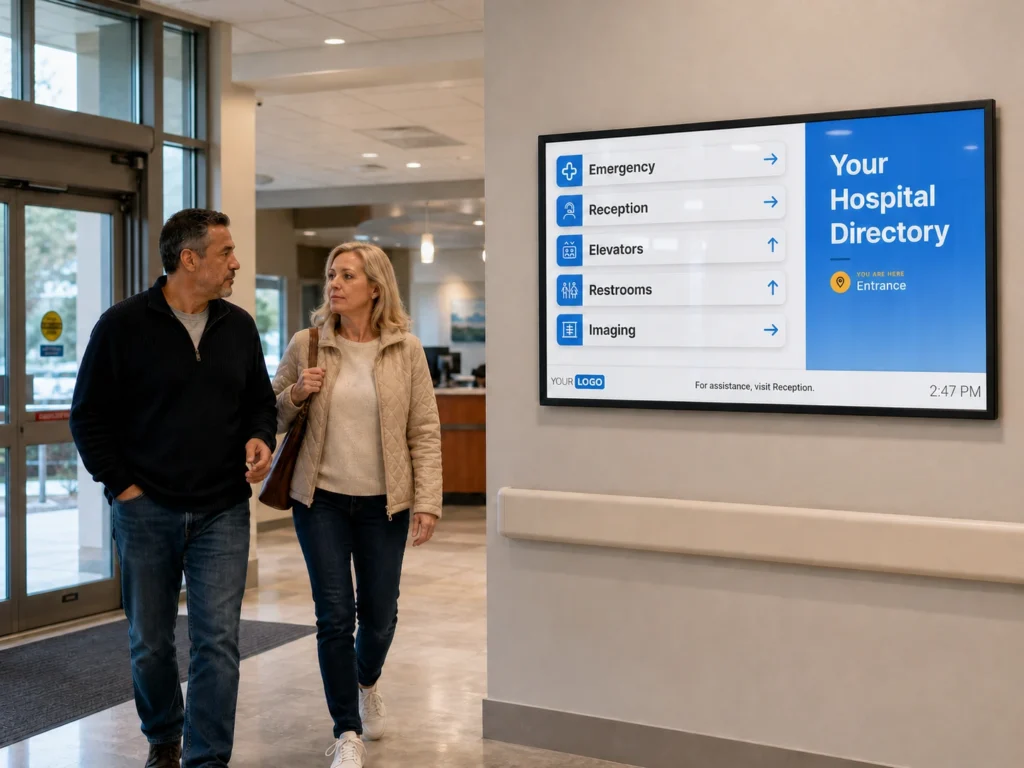
4: Help patients and visitors find their way
Healthcare buildings are large, and for someone who is already anxious, not knowing where to go makes it worse. Screens at the entrance, in the lobby and at every junction can show the way to a department, a floor plan with a physician directory, or step-by-step directions, and they can point people to a different route when a corridor is closed. The information stays current without anyone printing a new sign, which matters in a building where departments move more often than the signage can keep up with. It also saves time at reception, because the question people would otherwise ask is already answered on the wall behind the desk.
5: Promote your own services and events
Screens are also a good place to show what your organization offers, without being pushy. A clinic can introduce a treatment or a health check to patients in the waiting room, a hospital can announce an information evening or a vaccination campaign, and HR can show open vacancies to staff and visitors who may know exactly the right person. A QR code lets people sign up, apply or read more straight from the screen. Because you can schedule content, a campaign can start on Monday and end on Friday without anyone touching it, and because you create it in a template yourself, it needs no print run and no outside agency.
Getting started in your organization
Start with one department or one entrance, and pick the place where the most information gets lost today, which in most organizations is the ward or the main lobby. Decide who publishes, what the first few slides are, and who keeps them current, because a screen that nobody owns goes stale within a month, and in a waiting room that is noticed immediately. From there, grow by adding locations rather than by adding content, because one well-maintained screen in a place people pass beats five with last month’s news. For more on what to look for in the software, read our blog on how to choose the best Digital Signage software, or explore what Digital Signage for healthcare looks like in practice.
What is Digital Signage?
Digital signage is the use of digital screens to show targeted content, such as news, announcements, dashboards and live data, to a specific audience in a specific place. Instead of broadcasting the same message to everyone, you decide which screen shows what, for whom and at what moment. Inside organizations it is used mainly for internal communication: keeping employees informed on screens in offices, production halls, warehouses and hospital corridors, including the people who never sit behind a desk.
How is pricing calculated?
Our pricing is based on the tools you want to use and the number of employees or devices you want to reach. Whether you start with a single tool or combine multiple ones, our modular pricing offers maximum flexibility so you only pay for what you truly need. To further enhance your platform’s capabilities, optional premium add-ons are available and can be included in your pricing.
Do I need to schedule a demo to try Netpresenter?
No need to wait for a live demo — just take the self-guided tour at your convenience. It’s quick, clear, and available 24/7.
When should I take a Guided Tour instead of requesting a demo?
A Guided Tour is ideal when:
- You want a quick, on-demand overview without scheduling a meeting.
- You are early in the decision-making process and exploring solutions.
- You want to share an internal preview of the software with colleagues or stakeholders.
Or schedule a personalized free 30-minute demo with one of our consultants to discover the power of our platform. They would love to show you everything Netpresenter has to offer.