27 content ideas for your Corporate Screensaver
A lot of organizations already have a valuable communication channel sitting right in front of employees: the idle computer screen. But too often, the Corporate Screensaver is treated as a passive background tool. A few generic slides go live, the same messages stay up for too long, and eventually people stop noticing.
That is a missed opportunity. A Corporate Screensaver is a strong communication channel. It reaches employees during natural pauses in the workday, without asking them to open another app, check another inbox, or search for information. The question is not whether the channel works. The question is: what should you show on employees’ screens to make them useful every day?
A practical way to plan better screensaver content is to think in outcomes. Use your Corporate Screensaver to keep employees informed, engaged, productive, and safe. Let’s match some ideas with this.
Informed
1. Company-wide announcements
Use the Corporate Screensaver for important updates that should stay visible beyond the first email or intranet post. Think company milestones, leadership changes, strategy updates, and more. Keep the message simple: what happened, why it matters, and where employees can read more.
2. Weekly need-to-know roundups
A weekly roundup is one of the easiest ways to keep the screensaver fresh and informative. Show three to five updates employees should know this week, written in plain language. This works because employees do not need to search for what matters. The screensaver quietly brings the essentials back into view during natural pauses in the day.
3. Leadership quotes
A short quote from a leader can work well on a screensaver, especially when it is direct and human. Use one strong sentence, a photo, and a simple context line. Avoid long corporate statements. The screensaver should make the message feel visible and personal, not formal and distant.

4. Campaign reminders
Internal campaigns often launch with energy and then fade after the first announcement. Use the screensaver to keep campaigns visible over time. This works well for wellbeing campaigns, security awareness months, sustainability programs, HR initiatives, and more.
5. IT updates employees might otherwise miss
Software changes, password deadlines, maintenance windows, device updates, and new tool rollouts are easy to miss in a crowded inbox. The screensaver is useful for short IT reminders because it creates repeated visibility before the moment of friction happens.
6. Policy and process changes
Most policy updates are too detailed for a screensaver, but the headline belongs there. Show what changed, who it affects, when it starts, and where employees can find the full explanation. For example: “New travel approval process starts June 1. Learn more at our intranet.”
7. Event promotion and last-call reminders
Town halls, training sessions, benefits deadlines, office events, webinars, and volunteer days all benefit from repeated reminders. Use the screensaver before the event, close to the deadline, and on the day itself. The repetition helps employees remember without another email.
8. Intranet amplification
Important intranet content often disappears too quickly. Use the screensaver to give it the attention it deserves. Highlight new articles, SharePoint news, or resources that need more traffic. Pull out the most useful hook instead of simply saying “Read more on the intranet.”
Engaged
9. Employee recognition
Use the screensaver to celebrate people in a visible, low-effort way. Birthdays, work anniversaries, certifications, awards, promotions, and team wins all help employees feel seen. Recognition works best when it is specific. Name the achievement, show the person or team, and keep the message warm but concise.
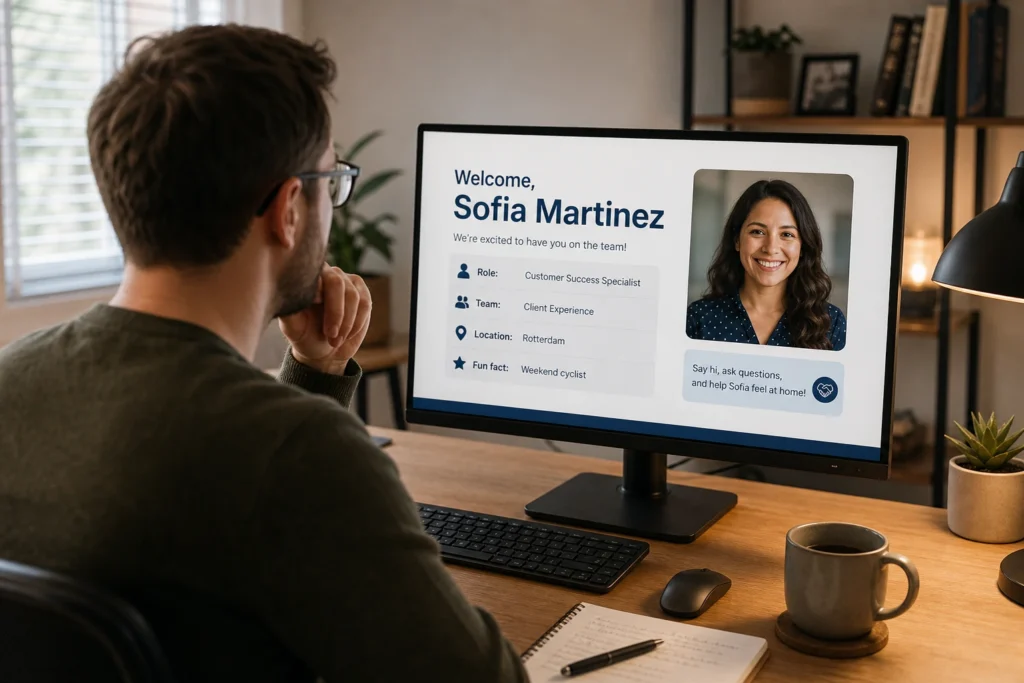
10. New hire introductions
A simple new hire slide can make onboarding feel more connected. Include a photo, role, location, team, and one personal detail. This is especially useful in hybrid organizations, where employees may not meet new colleagues naturally in the office.
11. Team spotlights
Use the screensaver to help employees understand what other teams do. Show a department, what they are working on, and how they support the organization. This builds internal awareness and gives teams visibility beyond their usual circle.
12. Culture in action
Company values become more meaningful when employees see real examples. Use screensaver slides to show teams helping customers, improving processes, supporting colleagues, volunteering, or solving problems. The goal is not to repeat the values. It is to show what those values look like in everyday work.
13. Employee-submitted moments
Photos from team days, local office updates, colleague shoutouts, and small wins can make the screensaver feel more alive. Keep the submission process simple and set a few quality rules. Otherwise, participation becomes too much work or the content becomes inconsistent.
14. Pulse checks
A Corporate Screensaver can also invite a response. Use it for employee surveys, event registrations, feedback or anything alike. Keep the ask small. One clear question works better than sending employees into a long form without context.
Productive
15. Deadline reminders
Screensavers are excellent for deadlines employees should not miss. Use them for benefits enrollment, compliance training, performance review cycles, expense submissions, survey closing dates, or office registration deadlines. This is one of the most natural uses of the channel: repeated visibility for time-sensitive information.
16. Daily or weekly priorities
Use the screensaver to reinforce what matters right now. This could be a customer focus area, sales priority, service goal, internal campaign, or operational theme. Keep it practical and current. If the priority changes weekly, the screensaver should change with it.
17. Simple KPI snapshots
KPI content works when it is focused. Do not overload the screen with a full dashboard. Show one or two numbers employees can understand quickly. For example: customer satisfaction, training completion, open support tickets, safety days, response times, or campaign participation.
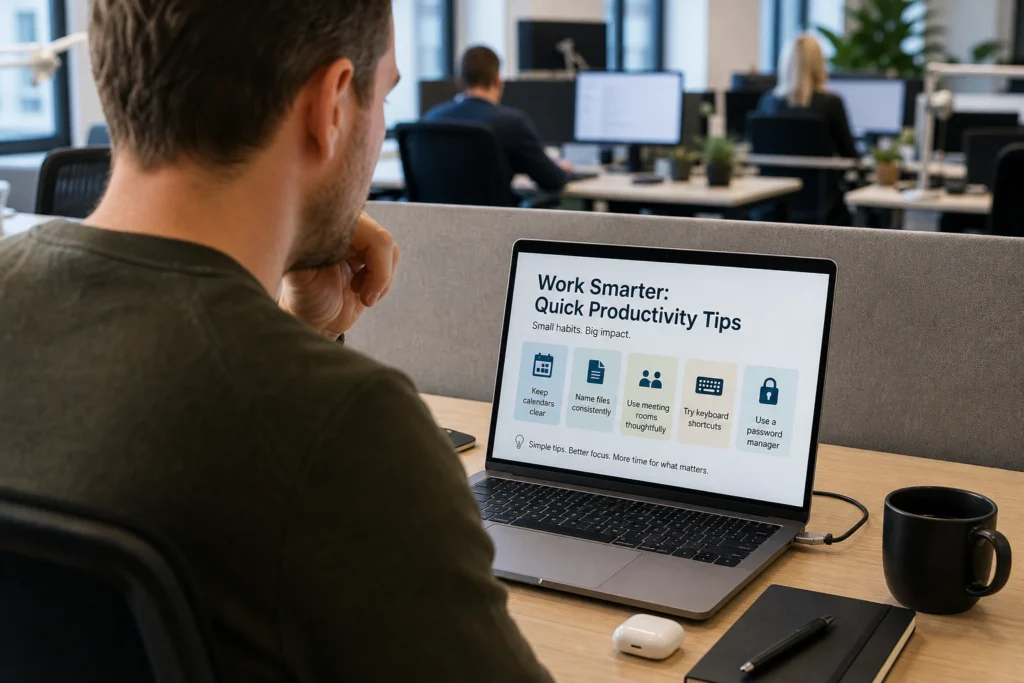
18. Tool tips and productivity nudges
Use the screensaver for small tips that help employees work smarter. Think calendar hygiene, meeting room etiquette, Teams tips, password manager use, document naming, or shortcut reminders. These small nudges are easy to ignore in a long guide, but they can stick when repeated visually.
19. Training reminders
Required training often needs several nudges before people complete it. Use the screensaver to show what training is due, who it applies to, and when the deadline is. Keep the message action-oriented: “Complete your cybersecurity training by Friday” is stronger than “Cybersecurity training is available.”
20. Microlearning moments
A screensaver is a good place for one learning point at a time. Use it for product knowledge, compliance refreshers, customer service tips, safety behavior, or internal process reminders. One slide should teach one thing. If the message needs five bullet points, it probably belongs somewhere else.
21. Hybrid work and office guidance
Hybrid work creates a lot of small coordination issues. Use the screensaver for desk booking reminders, meeting room behavior, office days, visitor rules, clean desk expectations, or shared space etiquette. The best messages are practical and specific: “Cancel rooms you no longer need” or “Book your desk before Tuesday office days.”
22. Facility and workplace updates
Employees need practical workplace information at the right moment. Use the screensaver for parking changes, cafeteria updates, reception notices, floor closures, maintenance work, or office access updates. This helps reduce confusion before employees run into the issue.
Safe
23. Urgent desktop alerts
When something important happens, the screensaver can help reinforce urgent communication on desktop devices. Use it for severe weather updates, building access issues, major IT incidents, security warnings, or other time-sensitive instructions. For urgent situations, keep the message direct: what is happening, what employees should do, and where updates will follow.
24. Crisis follow-ups
The first alert is only the start. During disruptions, employees need follow-up messages that explain what changed, what is still unknown, and what to do next. A screensaver can help keep those updates visible while people continue working.
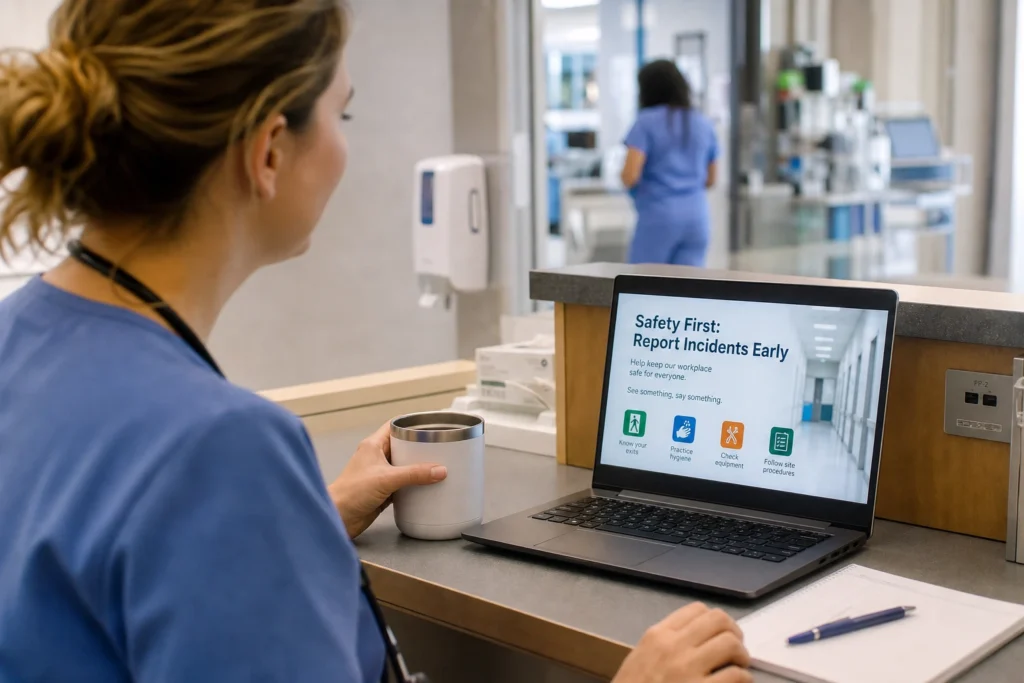
25. Workplace safety reminders
Use the screensaver for repeated safety messages that benefit from regular exposure. This can include incident reporting, emergency exits, equipment checks, hygiene reminders, or site-specific procedures. The goal is to keep safe behavior top of mind before something goes wrong.
26. Compliance reminders
Compliance content is often too easy to ignore when it only lives in a policy document. Use the screensaver to reinforce essential behavior with short, clear messages. Think data handling, confidentiality, reporting obligations, financial procedures, or workplace conduct.
27. Cybersecurity awareness
Cybersecurity mistakes often happen in rushed moments. Regular screensaver reminders can help employees pause before clicking, sharing, downloading, or responding. Rotate simple messages about phishing, suspicious links, screen locking, password hygiene, MFA, and reporting suspicious activity.
A few habits that make all 27 ideas work better
Whatever content mix you choose, a few habits make the difference. Keep every message short enough to understand at a glance. Refresh content before it becomes invisible. And make sure someone owns the channel, so the screensaver does not become a place where old messages go to sit forever.
The best Corporate Screensaver setups are not the ones with the most slides. They are the ones employees learn to trust. If the content is timely, relevant, and clearly connected to the real workday, people keep noticing it.
Conclusion
A Corporate Screensaver works best when it is treated as an active employee communication channel, not a passive background tool. The screen may be idle, but the communication should not be.
With the right content strategy, your screensaver can keep employees informed, engaged, productive, and safe. That is where it earns its place in the communication mix.