Netpresenter x Microsoft: get more from the tools you use
Microsoft is one of the most widely used business technology platforms in the world. Microsoft 365 alone has around 450 million commercial users. For organizations everywhere, tools like SharePoint, Teams, and Power BI form the digital backbone of the workday.
That’s why Netpresenter made a deliberate choice to go Microsoft-first. Not to replace Microsoft, but to get more out of the Microsoft tools organizations already have. How? By taking their reach to the next level.
Microsoft as a foundation: powerful, but not for everyone
Microsoft tools are good at what they do. SharePoint manages content, Teams connects people, Power BI makes data visible, and so on. But all that valuable content is locked inside tools that most people don’t open or see every day. Think of the production worker without a fixed workstation, the truck driver on the road, or the account manager who doesn’t have time to check SharePoint.
Netpresenter solves that by adding a layer that brings content to people, rather than hoping the reverse happens. By integrating deeply with Microsoft, Netpresenter connects to what’s already there: no new systems, no extra Microsoft licenses, and no separate content to manage. Content that already exists in Microsoft becomes visible on every available screen in the organization, from Digital Signage to Screensavers. Channels employees actually see, regardless of role or location.
How does it work? Through integrations with SharePoint, Teams, Power BI, Excel, Outlook, and Entra ID.
SharePoint: publish once, reach everyone
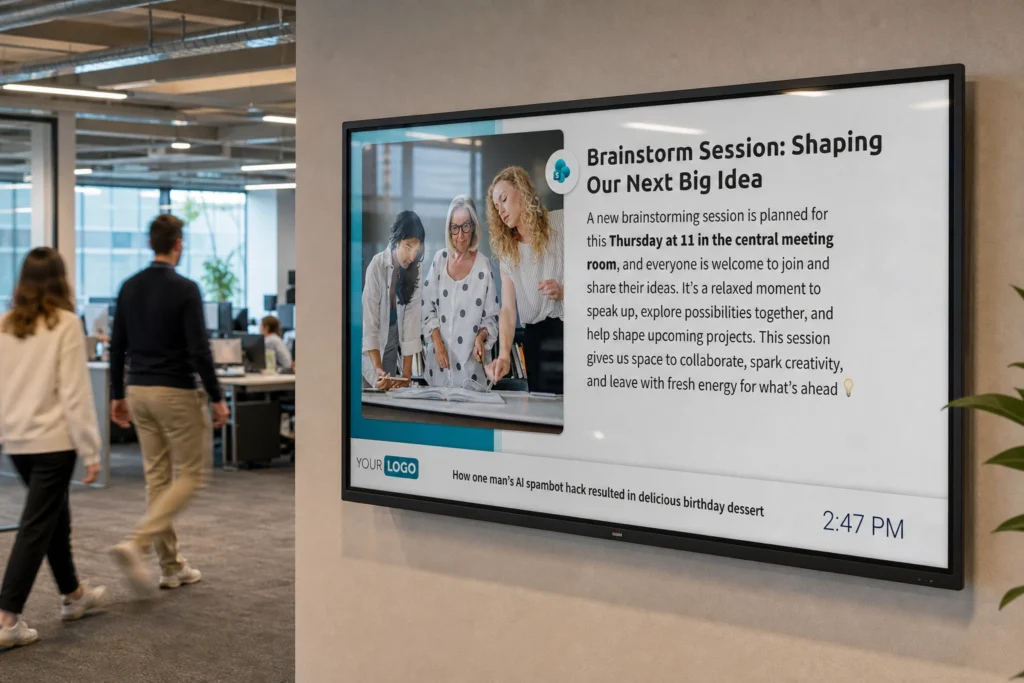
With Netpresenter’s SharePoint integration, you publish content once and display it everywhere. News posted in SharePoint automatically appears on Digital Signage screens throughout the organization and on Screensavers for PC users. No duplicate entry, maximum reach.
This way, employees get informed without being disturbed. For example: an office employee sees the new procedure update on the screensaver while drinking coffee, while a logistics worker in the warehouse sees an HR safety notice on a TV screen while passing by. Content reaches everyone, without anyone having to do anything extra.
Power BI: show numbers where they matter
With the Power BI integration, Netpresenter brings important data to where it’s relevant. Think of a production dashboard on a screen in the factory floor, or real-time KPIs on the screensaver of salespeople. Live numbers on the work floor for everyone who can act on them, without anyone having to log in to Power BI.
This way, data isn’t just measured and viewed by Power BI users. It’s shared with the people who directly influence it. Data that reaches the right people leads to action. A team that sees its own numbers responds faster than one that hears about them second-hand, or doesn’t see them at all.
Microsoft Teams: messages that get noticed
Teams is where you collaborate, message, and plan. But important announcements get buried in the notification stream and go unnoticed. On top of that, a large share of employees doesn’t have access to Teams, so messages simply don’t reach them.
With the Teams integration, posting a message in a Teams channel is enough. Netpresenter picks it up and displays it on the screens where employees will see it: in the canteen, on the floor, in the warehouse. You keep working in the tool you already use, and still reach everyone, regardless of location, device, or notification volume.

Excel: data on the screen where it counts
Excel is where a lot of practical information lives: schedules, production figures, occupancy rates. Data that’s relevant to the work floor but rarely makes it there.
With the Excel integration, Netpresenter turns a spreadsheet into a visual on the screens everyone sees. A schedule automatically appears on Digital Signage screens in the warehouse, current KPIs on the sales floor. No exports, no duplicate entry.
Outlook Calendar: the agenda on the work floor
When does the town hall start? Which meeting room is taken? That information lives in Outlook Calendar, but rarely where employees need it.
With the Outlook Calendar integration, Netpresenter automatically displays calendar items on Digital Signage screens or Screensavers. Events, meetings, schedules, all of it becomes visible to everyone, right where it matters.
Entra ID: targeting based on existing data
Good communication is targeted communication. Not everyone needs to see everything. With the Entra ID integration (formerly Azure Active Directory), Netpresenter uses the groups and user data already in Microsoft for targeting within Netpresenter.
You don’t need to maintain separate user lists or recreate groups from scratch. The structure IT already set up in Entra ID works directly in Netpresenter and syncs automatically. Add or remove a user, and Netpresenter follows immediately. You always have current data, and you can easily send a message to team A or department B without bothering everyone else with irrelevant content.
The result: more value from what you already have
Netpresenter extends the reach of your existing Microsoft environment. All the content that already lives in SharePoint, Teams, Power BI, and other tools now reaches the employees who don’t use those tools every day.
No new systems. No duplicate content. No extra work for communications professionals or IT. Just the information that already exists, shown on the screens where people see it. That’s Netpresenter’s approach to Microsoft.
How Netpresenter can strengthen your Microsoft tools
Get in touch or request a demo and we’ll show you how Netpresenter can strengthen your Microsoft environment.