

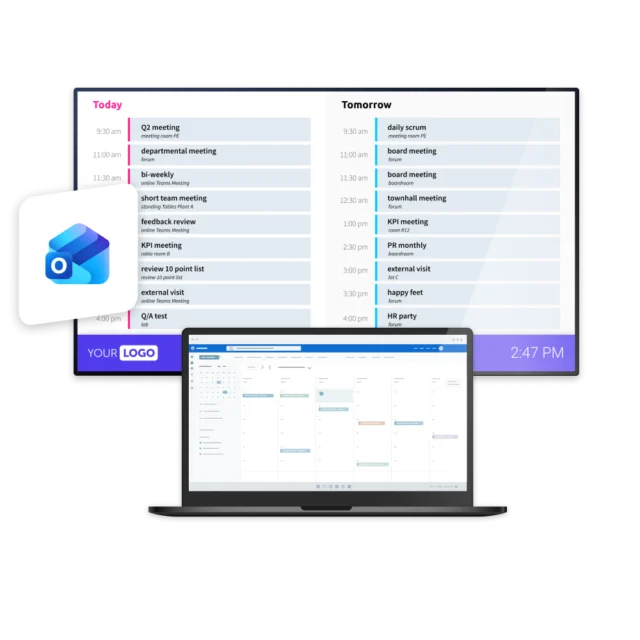
Calendars run the working day, keeping track of meetings, bookings, and company events. But that information only helps people if they can actually see it. When calendars stay tied to individual accounts, the wider organization misses out on what’s coming up.
Your Outlook calendars, visible everywhere
With Netpresenter, you can connect an Outlook calendar once and automatically publish its events to screens throughout your organization, from reception areas and hallways to meeting room doors and the employee app, so everyone can see what’s coming up.



“With Netpresenter, we can display live events from Outlook on our screens to keep our employees informed easily.”

Some of our valued customers





Netpresenter blog
Put your Outlook calendars on your Digital Signage
Every organization runs on a calendar. The quarterly town hall, the first aid course, the birthdays of colleagues, the visit from head office, Friday afternoon drinks, the annual trade show, the summer party everyone keeps asking about. It’s all scheduled, agreed, and sitting in Outlook, already organized and ready to go. But an event only matters if the right people know about it, and not everyone lives in Outlook.
A Trusted Pioneer in
Employee Communications
For decades, Netpresenter has been pioneering employee communications. Organizations worldwide trust our award-winning platform.







Some questions
already answered
Looking for more information? We’ve collected answers to the most frequently asked questions below. If your question is not listed, feel free to reach out – we’re happy to help!
What kind of Outlook calendar can I connect?
You connect a shared Outlook calendar. Because it’s a shared calendar rather than a personal one, the events on it are meant to be seen by others, so you keep full control over what appears on screen and personal appointments stay private.
Do employees need an Outlook account to see the events?
No. Because events are displayed on screens across your organization, everyone can see the schedule, including employees who don’t have an Outlook account or work away from a computer.
Can I display more than one Outlook calendar?
Yes. Each automation connects to one Outlook calendar, and there’s no limit to how many automations you can create, so you can bring in events from multiple calendars across different screens.
If I change or cancel an event in Outlook, does the screen update too?
Yes. Any change you make in Outlook, whether you add, move, or cancel an event, is reflected on the corresponding screen at the next refresh.
How quickly do Outlook events appear on the screens?
The minimum update interval is 30 minutes, so new and changed events are picked up and displayed automatically without any manual action.