

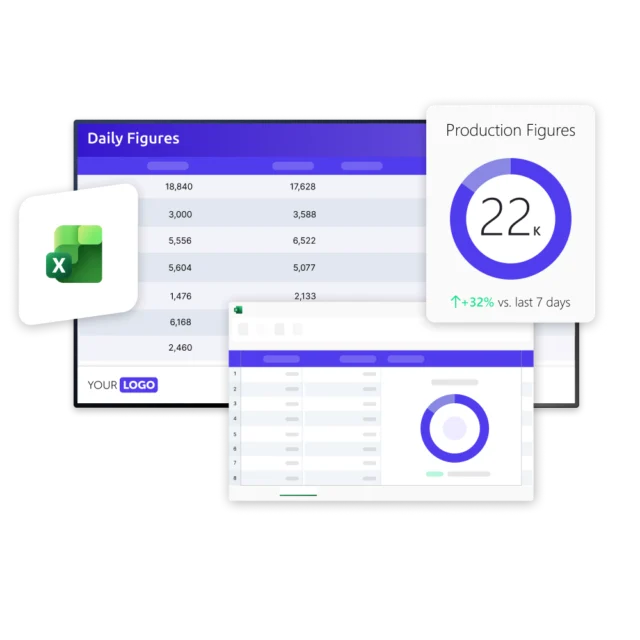
Microsoft Excel is where countless organizations track their most important operational data, from production figures and safety counters to schedules and targets. But that data usually stays trapped in a file that only a few people open. As a result, the numbers that should guide daily work rarely reach the people doing it.
Bring your spreadsheets to every screen
With Netpresenter, you can automatically display data from Microsoft Excel on screens across your organization. Update the spreadsheet as you always do, and the latest values appear everywhere, keeping teams informed, aligned, and working from a single source of truth.



“We push live content to our screens from whatever source we’re using, Excel spreadsheets mostly, and everyone sees the latest numbers without us having to chase updates.”

Some of our valued customers





Netpresenter blog
Turn your Excel spreadsheets into live content on every screen
Every organization runs on spreadsheets. Production figures, safety counters, targets, schedules, first-aid rosters. Chances are your teams already track their most important operational data in Microsoft Excel. The trouble is that all of it usually sits in a file that only a handful of people ever open. The numbers that should guide daily work rarely reach the employees actually doing the work. but there is a solution: You can Display Microsoft Excel on Screens.
A Trusted Pioneer in
Employee Communications
For decades, Netpresenter has been pioneering employee communications. Organizations worldwide trust our award-winning platform.







Some questions
already answered
Looking for more information? We’ve collected answers to the most frequently asked questions below. If your question is not listed, feel free to reach out – we’re happy to help!
Where does my Excel file need to be stored?
Your Excel file should be stored in SharePoint. Anyone with access can keep editing it as usual, and Netpresenter picks up the latest version at each refresh.
What happens when I edit the spreadsheet or add new rows?
Any changes you make within the selected range are picked up automatically at the next refresh. If you add new rows or columns that fall outside the range you originally defined, you may need to adjust the range so the new data is included. Otherwise, you keep updating the spreadsheet exactly as you always have.
Can I display specific cells or ranges, or only the whole sheet?
Yes. You define exactly which part of your spreadsheet you want to show, whether that’s a single cell, a specific range, or an entire sheet. Netpresenter displays that selection on screen, so only the relevant data is shown.
What is the update interval for Excel data in Netpresenter?
By default, Excel data is refreshed every 30 minutes, so your screens consistently reflect the latest values without any manual action.
What are the benefits of integrating Excel with Netpresenter?
Integrating Excel with Netpresenter turns the spreadsheets your teams already maintain into live content on screens across your organization. Instead of data staying locked in a file only a few people open, key numbers, lists, and metrics become visible to everyone, keeping teams aligned and working from a single, always-current source.