Put your Outlook calendars on your Digital Signage
Every organization runs on a calendar. The quarterly town hall, the first aid course, the birthdays of colleagues, the visit from head office, Friday afternoon drinks, the annual trade show, the summer party everyone keeps asking about. It’s all scheduled, agreed, and sitting in Outlook, already organized and ready to go. But an event only matters if the right people know about it, and not everyone lives in Outlook. The colleague on the factory floor, the driver between stops, the nurse on shift, they often have no easy way to see what’s coming up.
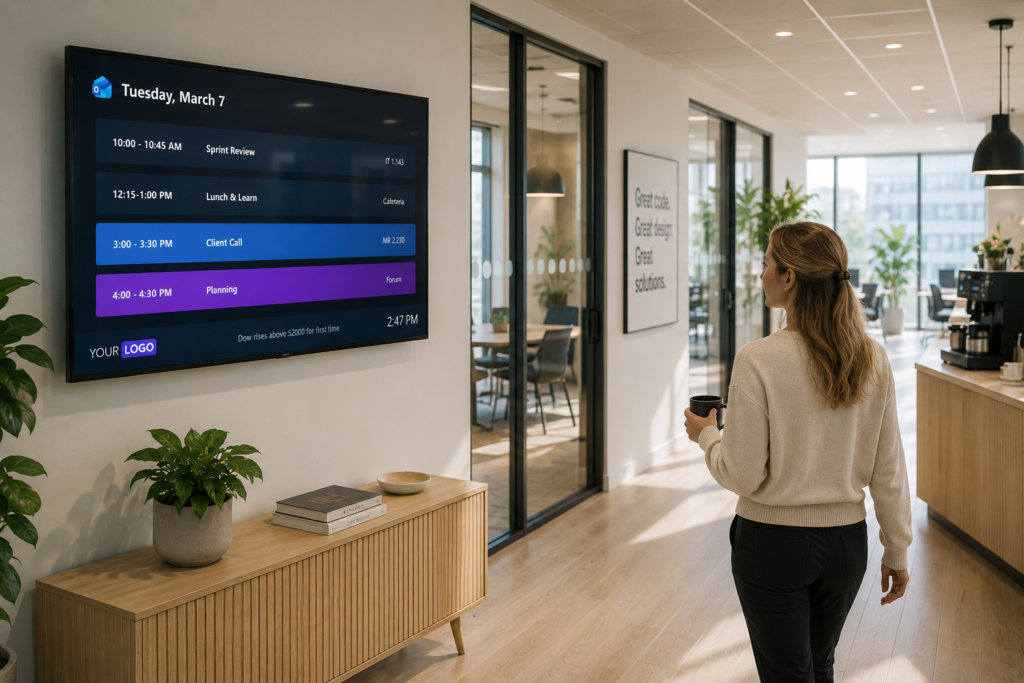
The Netpresenter Outlook Calendar integration closes that gap. It takes the calendars you already keep and brings their events to your Digital Signage, in reception, in hallways, in the canteen, on a display by a meeting room door. Wherever your people look, that’s where the schedule can be, so everyone stays in the loop, not just the ones at a desk.
From Outlook automatically to your screens
Netpresenter takes the event information from your Outlook calendar and turns it automatically into content on your displays. You don’t rebuild anything or copy events across by hand. The meetings, events, and dates already in Outlook become a clear overview on screen, ready for everyone to see.
Always current, without lifting a finger
You set it up once by linking an Outlook calendar to Netpresenter, and after that it looks after itself. When a new event is created, a meeting moves, or details change in Outlook, your screens update automatically to match. The calendar your team already trusts stays the single version everyone sees, with no printed sheets to replace and no slides to edit.
One connection per calendar, as many as you like
Most organizations run on more than one calendar, each with its own audience. A company-wide events calendar means something very different from a maintenance rota or a departmental agenda, and it’s good to keep them distinct.
That’s exactly how it works: each connection maps to one Outlook calendar, and you can set up as many connections as you need. The reception team’s calendar goes to the front-desk screen, the production schedule to the shop floor, company-wide dates to the canteen. Everyone sees what’s relevant to them.
The benefits at a glance
- Reach everyone, not just Outlook users, so also non-desk workers and anyone without an Outlook license.
- Everyone stays in the loop, with upcoming events visible to the whole organization at a glance.
- Screens are always up to date, because events update whenever something changes in Outlook.
- No extra work, you keep using Outlook exactly as you do today and nothing needs maintaining by hand.
- The right calendar on the right screen, with each display showing the events that matter to its audience.
Part of a bigger Microsoft picture
Outlook Calendar is one piece of how Netpresenter works with the Microsoft tools you already rely on, alongside SharePoint, Teams, Power BI, and Excel. The idea behind all of them is the same: keep your information where it lives, and let Netpresenter bring it to your screens, so more of your organization can benefit from what you’ve already set up.
Curious about the setup or how it would fit your screens? The Outlook Calendar integration page has the details and a FAQ, or book a demo, and we’ll walk you through it.