5 Ways Digital Signage Benefits Education
Estimated reading time: 5 minutes
Digital Signage helps schools, colleges, and universities reach the people who move through their buildings all day: students between lectures, teachers between classrooms, and staff spread across departments and campuses. Screens in entrances, corridors, libraries and dining halls carry schedule changes, wayfinding, events and urgent alerts.
Few audiences are harder to reach than students. They skim mass email, mute the group chat, and rarely read the newsletter, but they do walk past the same spots every day. Here are five ways Digital Signage puts your message where they actually look.
Table of contents
1: Reach students who never read your email
Student email is where announcements go to be ignored. The inbox fills with course notifications, administration and marketing, so a message about tonight’s lecture competes with everything else, and group chats get muted within a week. What students do reliably do is walk the same routes: into the building, through the corridor, into the library, past the dining hall. A screen in those spots asks nothing of them. No app, no login, no inbox, just a message while they wait for coffee or queue for lunch. That makes it the place for the things students actually want to know: today’s menu, ticket deadlines, a guest lecture, exam-week opening hours, or a society looking for members.
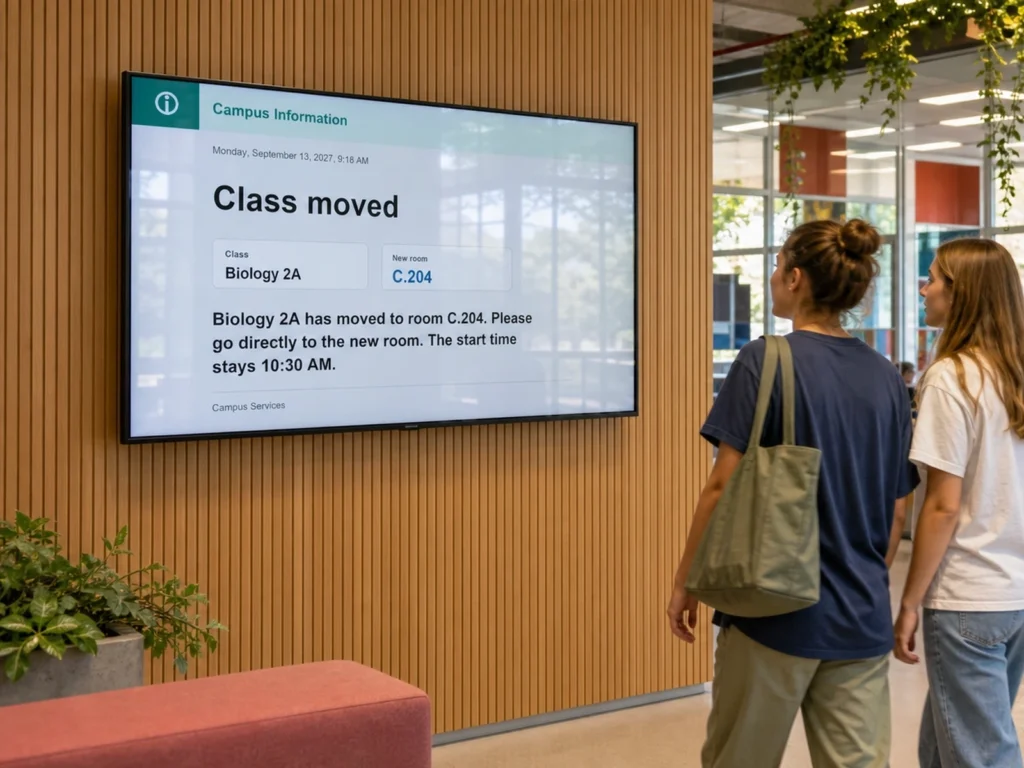
2: Schedule changes arrive before anyone walks the wrong way
A room swap or a cancelled class is useless information once somebody is standing at the wrong door. Email reaches students after the fact, and a note taped to a classroom door only reaches the people who were going there anyway. A screen at the building entrance catches them before they go upstairs, which is the only moment the information still helps. The same applies to teachers moving between rooms and to anything that changes at short notice: a lab that is closed, a lecture moved to another hall, an exam that starts later. And because an expired message can disappear on its own, nobody has to remember to take yesterday’s change down.
3: Help newcomers and visitors find their way
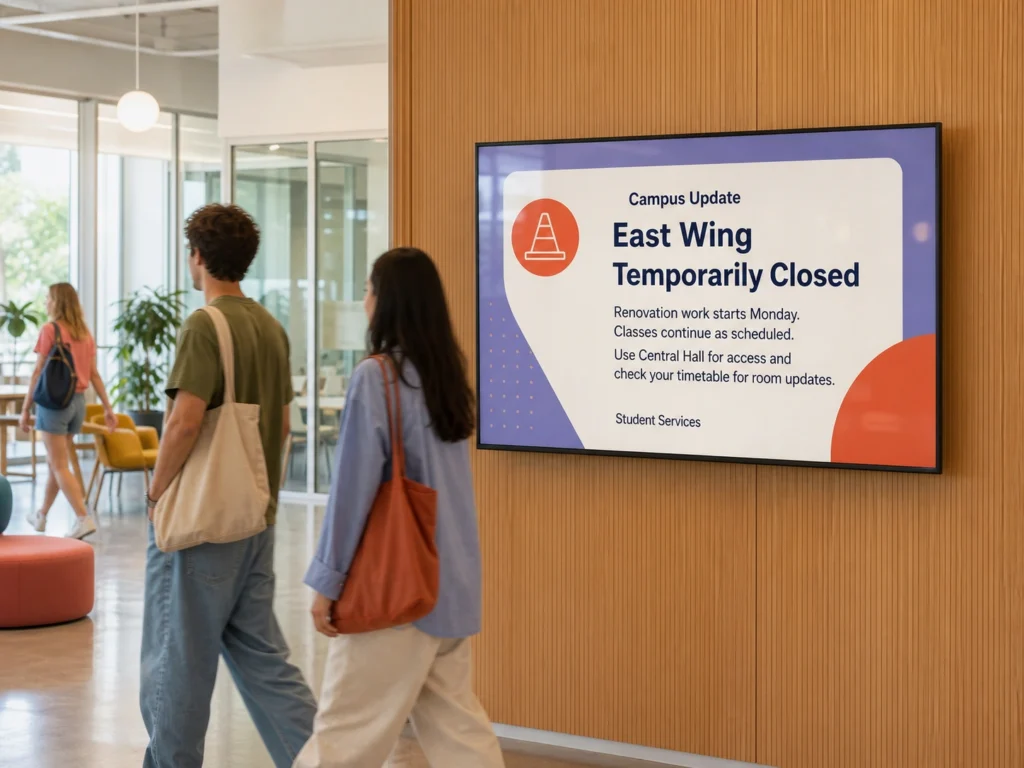
A campus is confusing for anyone who is new to it, and the first weeks of term are when that costs the most time: first-years looking for a lecture hall, exchange students finding the registration desk, visitors arriving for an open day. Printed signs cannot keep up, because departments move more often than the signage is replaced. A screen in the lobby can show a live directory, a floor plan, or directions to the right room, and it can point people to another route when a corridor is closed for work. It also saves time at the front desk, where the same question would otherwise be answered thirty times a morning.
4: Alert everyone in seconds when it matters
When something serious happens- a lockdown, a fire, severe weather, or an incident nearby- the people in the building need to know immediately, not when they next check a phone. Screens can take over with a clear instruction within seconds, across a building, a campus or every site at once, and reach students, teachers, staff and visitors at the same moment. That matters especially in education, where a large part of the audience has no staff account and no reason to be logged in to anything. The same screens that showed the dining hall menu a minute earlier can display where to go and what to do, and update again as the situation changes.
5: Keep faculty and staff on the same page
Students are only half the audience. Teachers, support staff and facilities teams are spread across departments and buildings, and they are rarely at a desk between classes. Department memos and policy changes get buried in inboxes nobody opens between lessons, so screens in staff rooms, shared offices and the canteen reach them where they actually pause. For institutions with several buildings or campuses, the same platform keeps that consistent: central staff publish once to every location, while local staff can post a room closure or a building-specific notice without waiting for approval. Texas A&M AgriLife replaced screens that were updated by hand from USB sticks, and now pushes news and alerts to over fifty screens at once, straight from SharePoint.
Getting started on your campus
Start with one building and the place where the most information gets lost today, which on most campuses is the main entrance or the dining hall. Decide who publishes, what the first few slides are, and who keeps them current, because a screen that nobody owns shows last term’s events within a month, and students notice that faster than anyone.
From there, grow by adding buildings rather than by adding content. For more on what to look for in the software, see our guide on how to choose the best Digital Signage software, or explore what Digital Signage for education looks like in practice.