5 Ways Digital Signage Benefits Manufacturing
Estimated reading time: 5 minutes
Digital Signage helps manufacturers reach the people who keep production running: operators, forklift drivers, and maintenance crews who have no company inbox and no time to read one. Screens in the canteen, at the entrance and on the floor carry company news, shift information, live production figures and safety rules to every shift, in every plant.
In most factories there are two organizations in one building. The office has email, Teams, an intranet, and a calendar invite for every meeting. The production floor has a memo on the door and a whiteboard that somebody updated last week. The information is the same, but only one half of the company actually receives it. Here are five ways Digital Signage closes that gap, starting with the one manufacturers mention most.
Table of contents
1: Close the gap between the office and the floor
Ask anyone in manufacturing where communication breaks down, and the answer is the same: between the office and production. Email, Teams, and the intranet assume a computer, an account, and a quiet moment to read, and most people in a plant have none of those during a shift. So the floor gets a memo on the door, or a message passed on by a team leader who heard it in a meeting. Screens change that, as long as they hang where people actually stop: the canteen, where people have time to read something longer, and the entrance, the time clock, or the locker room, which everybody passes twice a day. Language is part of the same gap. When the floor speaks different languages than the office, a message in the company language reaches fewer people than you think, and a screen can show the same information in more than one.
2: Reach every shift, including the ones nobody briefs
A briefing happens once, and whoever is not in the room misses it. That is a daily problem in a plant that runs more than one shift: the morning briefing never reaches the evening, and the night shift usually hears things last. A screen keeps showing the message through the evening and the night, so every shift sees the same information without anyone having to repeat it. You can also decide when something appears, for example, handover information at the change of shift and company news during break times, so the content fits the moment people are standing there. It makes screens the natural place for handover notes too, replacing the piece of paper taped to a machine that the next team may or may not find.
3: Keep safety rules visible, current and in the right place
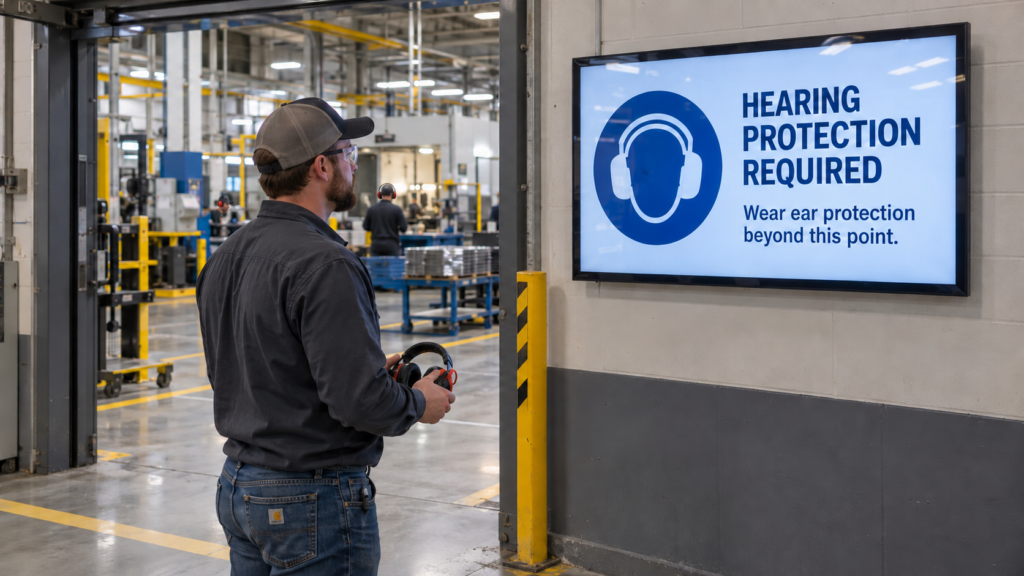
When a safety procedure changes, every printed copy has to be found and replaced, and until that happens the old version stays on the wall and people follow what they read. On a screen, you update the instruction once, and every location shows the new version immediately. You can also put each rule where it applies, because safety information is rarely plant-wide: hearing protection in one hall, forklift zones in another, hygiene rules at the entrance of the production area. The same screens carry the rest of the safety story too, such as a days-without-incident counter, the near miss of the week, and upcoming refreshers. And when something goes wrong, screens can take over with a clear instruction in seconds.
4: Put live production numbers where the work happens
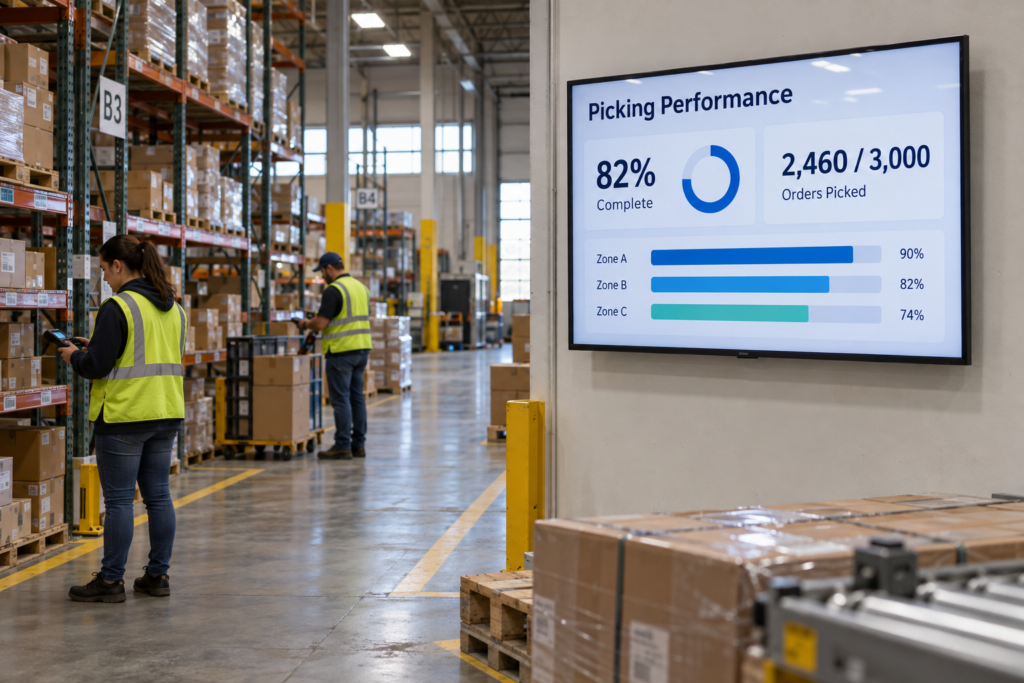
Output, scrap and targets are usually discussed in a weekly meeting, long after the shift that could have done something about them. On a screen next to the line, those figures update as the work happens, so a team can correct course while the product is still in front of them. The numbers do not have to be retyped either: if your team already tracks them in a dashboard such as Power BI, the screen follows that source and changes when the data changes. Hoenderdaal Fasteners did exactly that, and now every department sees its Power BI dashboards on screen instead of searching for the data, including colleagues who do not work at a desk.
5: Keep every plant on the same message
For organizations with more than one site, the hard part is consistency. One plant updates its boards, another does not, and over time the message drifts. Managing all screens from one place means head office can publish once to every site, with the same wording and the same look, and everyone finds out at the same moment. That only works if local teams can still add what matters on their own floor, such as today’s visitors or a change on line 3. Good software lets each site publish within the rules and the branding that head office sets. The same screens also reach people who do not work there: at the gatehouse, site rules and required protective equipment greet visitors and contractors as they collect their badge.
Getting started in your plant
Start with one location and the place where the most information gets lost today, which in most plants is the canteen or the entrance. Decide who publishes, what the first few slides are, and who keeps them current, because a screen that nobody owns goes stale within a month, and on a factory floor that is noticed immediately. From there, grow by adding locations rather than by adding content, because one well-maintained screen in a place people pass beats five screens with last month’s news. For more on what to look for in the software itself, see our blog on how to choose the best Digital Signage software, or explore what Digital Signage for manufacturing looks like in practice.