







An email that goes unread. A poster that’s out of date. An intranet employees don’t visit as often as you’d like. When communication depends on people being in the right place, checking the right channel at the right time, messages fall through the gaps. Digital signage puts your message where your audience already is: on screens in the canteen, the corridors, and the production floor.
Easy-to-use software for professional results
No more walking around with a USB drive to give every screen fresh content. The digital signage software from Netpresenter is intuitive and lets you create, manage, and publish content for all your screens from one place. Your logo, colors, and fonts are applied automatically, so every message looks professional, whoever makes it. No technical knowledge or help from IT required.


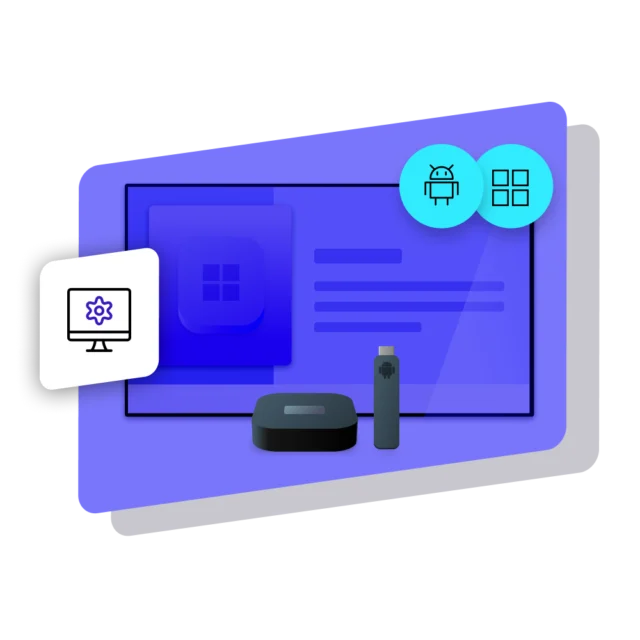
Use the hardware you already have
For most organizations, hardware investments are the highest one-off cost of digital signage. If you have existing hardware, there’s a good chance you’re already good to go: Netpresenter runs on Windows and Android devices, so in most cases you can use the screens, media players, and even PCs you already have. Not sure where to start? We help you choose devices that fit your budget, requirements, and IT infrastructure.
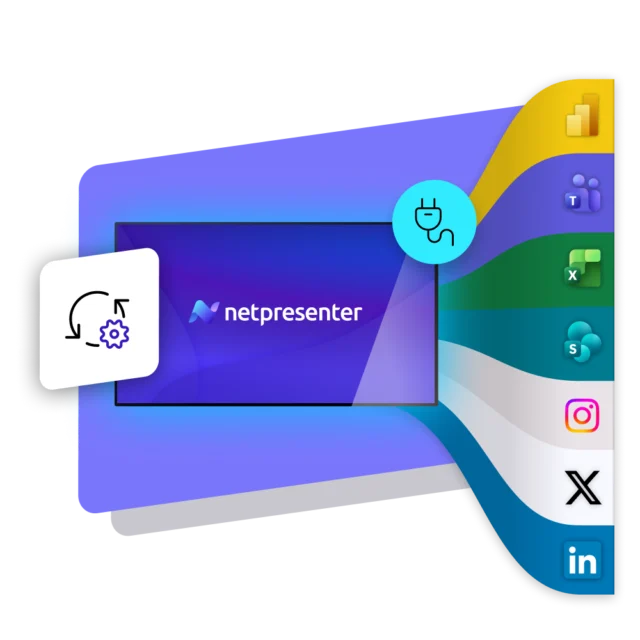
Connect to the tools you already use
Stop publishing the same content twice. Netpresenter integrates with the tools you already use daily, so your screens update automatically. Show live data, weather, traffic updates, news, and your latest social media posts, or bring in your Canva designs directly. Netpresenter also integrates deeply with Microsoft: show existing content from SharePoint, Power BI, Teams, and Excel. Whatever the source, your screens always show fresh, current content automatically, without any extra work.
Try Netpresenter for free
No card details required, no commitment. Try it for 14 days and see exactly how Netpresenter works in your own environment before you decide.
Digital Signage for every industry
Every industry has its own way of using digital signage, from safety alerts on the production floor to wayfinding in a hospital. Find your industry below and discover the use cases that apply to you.


Enterprise Digital Signage
Digital signage perfect for enterprise: whether you run a handful of screens or hundreds across multiple locations around the world, Netpresenter gives IT full control, with the security and reliability large organizations expect.





What our
customers say
Explore how other organizations achieve more with Netpresenter. Read real-life examples of how our customers improved communication and got better results across their organization.



A Trusted Pioneer in
Employee Communications
For decades, Netpresenter has been pioneering employee communications. Organizations worldwide trust our award-winning platform.






All-in-one communication platform
More than Digital Signage
Digital signage is just one way you communicate with Netpresenter. Want more? Our platform offers more tools like an employee app, screensaver, lock screen, wallpaper, and desktop alerts, so you bring your message to attention through even more channels. You can start with Digital Signage and expand whenever you want.
Flexible pricing that grows with your organization
Pricing for our digital signage solution is simple: you pay per screen, with no hidden fees. Start with the screens you need today, and add more screens or locations whenever your organization grows. Implementation, onboarding, training, support, and updates are always included, so your costs stay predictable every step of the way.
Some questions
already answered
Looking for more information? We’ve collected answers to the most frequently asked questions below. If your question is not listed, feel free to reach out, we’re happy to help!
What is Digital Signage?
Digital signage is the use of digital screens to show targeted content, such as news, announcements, dashboards and live data, to a specific audience in a specific place. Instead of broadcasting the same message to everyone, you decide which screen shows what, for whom and at what moment. Inside organizations it is used mainly for internal communication: keeping employees informed on screens in offices, production halls, warehouses and hospital corridors, including the people who never sit behind a desk.
What is the difference between Digital Signage and Narrowcasting?
In practice there is no difference. Both describe showing targeted content on screens for a specific audience. Digital signage is the international, mostly English term. Narrowcasting is the term used mainly in the Netherlands and Flanders for exactly the same thing. The distinction matters when you compare suppliers: Dutch and Belgian vendors tend to position themselves on narrowcasting while international vendors use digital signage, so searching both terms gives you the full picture of the market.
What do I need to get started with Digital Signage?
A digital signage system has three parts: digital signage software to create, manage and publish your content, a screen with a device that runs on Windows or Android, and the content itself. In most cases you can use screens, media players and PCs you already have in-house, which removes the largest one-off cost. You also need an internet connection at each screen location, preferably wired, and someone who owns the content.
Do I need IT to get started, or can anyone use it?
Anyone can use it. The software runs entirely in the cloud and works with ready-made templates that apply your logo, colors and fonts automatically, so a colleague without design or technical skills publishes a professional message in a few clicks. IT is involved once, at the start: connecting the devices and, if you want, linking users through Entra ID and single sign-on. After that, day-to-day publishing sits with the communication, HR or facilities team.
Can I also show digital signage on workplaces and for remote workers?
Yes. A screen only reaches people who walk past it and look up at that moment, which means it misses anyone working from home, on the road, or on a shift when the message was current. With Netpresenter you show the same content on your employees’ computers and laptops as well, at the office and at home, so your reach grows without hanging up extra screens.
Can I show different content per location or department?
Yes, and it is one of the main reasons organizations choose digital signage over a general broadcast. You decide per screen, per group of screens or per location what appears. The production hall can show safety figures and shift handovers while reception shows a welcome message and waiting times, and an organization-wide announcement still reaches every screen at once. You can also schedule content so different messages run at different times of day.
Is Digital Signage part of a bigger platform?
Yes. Digital Signage is one of eight tools in the Netpresenter platform. Alongside it you get an employee app, lock screen, wallpaper and desktop alerts, so the same message can reach people who never walk past a screen. You create a message once and choose where it appears. Many organizations start with screens and add channels later, as their reach requirements grow.
How do I know whether people have seen my message?
With a screen you cannot know for certain, and that is inherent to the medium. What you can see is how often a message was played, on which screens, and how people responded to a call to action or QR code. If you need certainty that a message landed, for example for a compliance update or a mandatory instruction, you need a channel where the recipient confirms they have seen it, such as a desktop alert or a message in the employee app.
Is Digital Signage suitable for large organizations?
Yes. Netpresenter is a digital signage solution built for organizations that run screens across many locations. It scales from a handful of screens to thousands, with central management, user roles and approval workflows so multiple teams can publish safely, single sign-on and two-factor authentication, and device management through Entra ID. The platform is ISO 27001:2022 certified and NIS2 ready, with a guaranteed 99.9% uptime.
What does Digital Signage cost?
The price of digital signage software is based on the number of screens you connect and fill with content, not on the number of tools or employees, and the price per screen usually decreases as your setup grows. Implementation, onboarding, training, support and updates are always included, so there are no separate setup fees after the quote. Budget separately for hardware if you need new screens or media players, since that is typically the largest one-off cost.