How to choose the best screens for Digital Signage
Estimated reading time: 5 minutes
Looking for the right screen for your Digital Signage? The size is what matters most, and after that the orientation, the screen type and the brightness. Here is how to choose.
Unfortunately, there is no such thing as *the* best screen for Digital Signage. It all depends on your business and goal. Where will you utilize digital signage? What do you wish to accomplish with it? Showing fast-moving images, like video, requires a different kind of screen than displaying more static content, like a dashboard or a menu. Also consider the location of the TV. The greater the distance, the bigger the screen you need.
Table of contents
Size does matter
The size of the screen is the most important thing to consider. After all, the size of the screen determines whether people can see your content, read your message, and notice your digital signage at all. You can determine the size you need by simply measuring the distance between the people you want to reach (e.g., your co-workers, clients, or visitors) and the screen itself.
A simple rule of thumb: the further away people stand, the bigger the screen has to be. A 40-inch screen works when people are about 2.5 meters away, while a 60-inch screen suits a distance of around 5.5 meters. So a canteen or a corridor where people pass within a few meters needs something different from a lobby or a production hall where people stand further back.
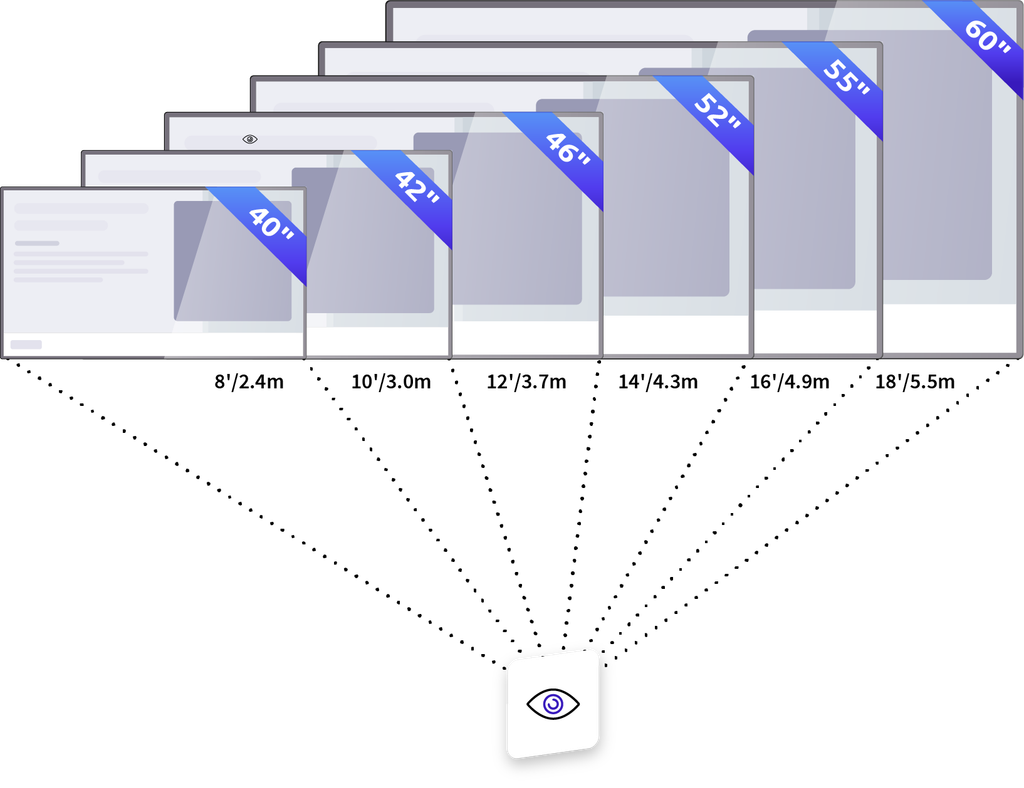
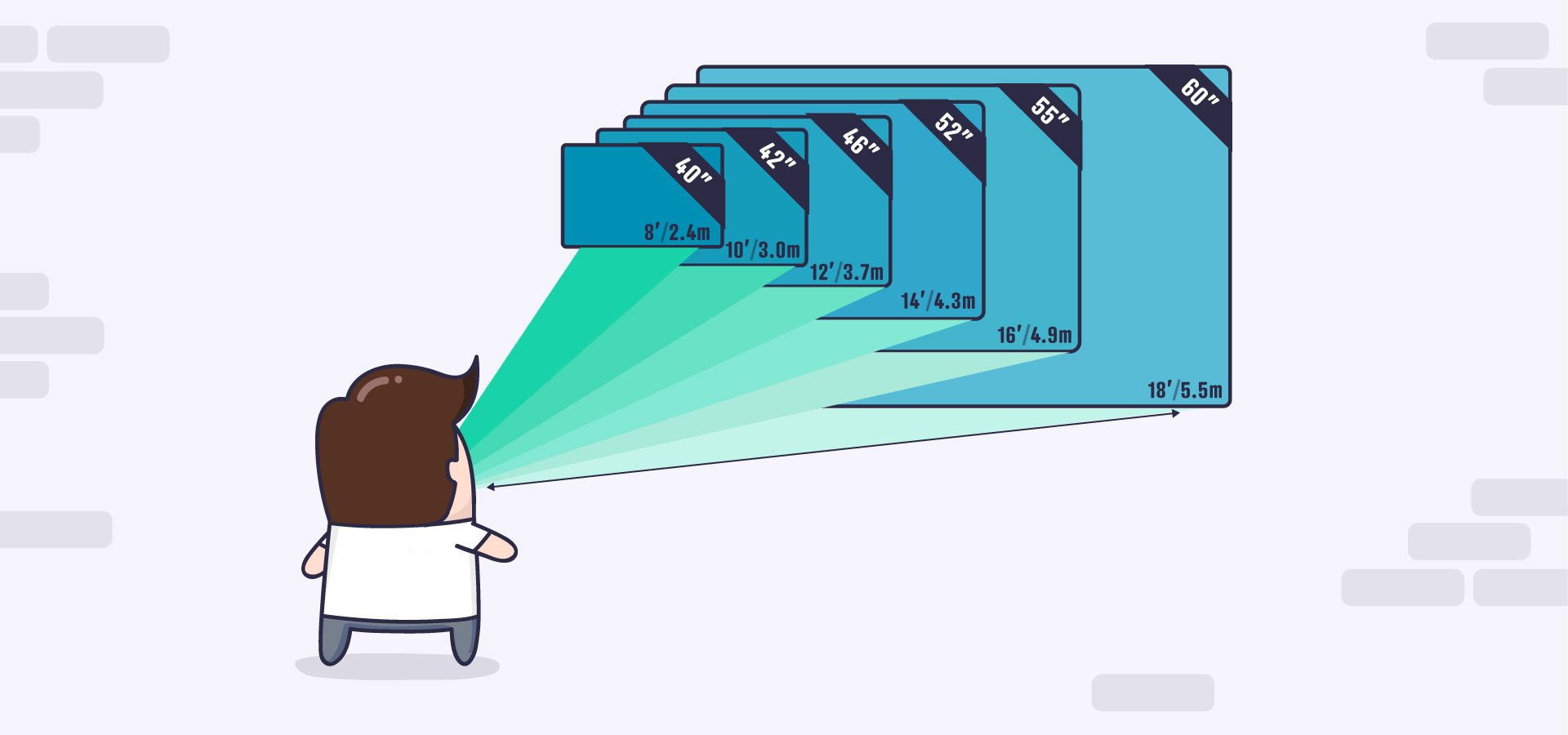
In practice, a screen is more often too small than too large, and the amount of text on the slide matters just as much: a headline is readable from further away than a list or a dashboard, so when in doubt, go one size up rather than one down. Where exactly the screen hangs is a question of its own. Our blog on Digital Signage screen placement covers viewing height, traffic flow, and which locations work best.
Portrait or landscape?
Most screens hang in landscape, simply because that is how televisions are made, and for most content that works well: a news item with an image, a dashboard, a calendar or a video all fit a wide format naturally.
Portrait has its own place, though. A vertical screen fits where a wide one does not, such as next to a door, in a narrow corridor or beside a lift, and it stands out precisely because people do not expect it. It also suits content that runs top to bottom, like a list of today’s visitors, a menu, or a single announcement with a large image. Two things to check before you choose portrait. Not every consumer TV is designed to be mounted vertically, and using one that is not can shorten its life because the internal cooling is built for landscape. And look at the bezel: some models have a brand logo along the bottom edge, which ends up sideways once the screen is turned.
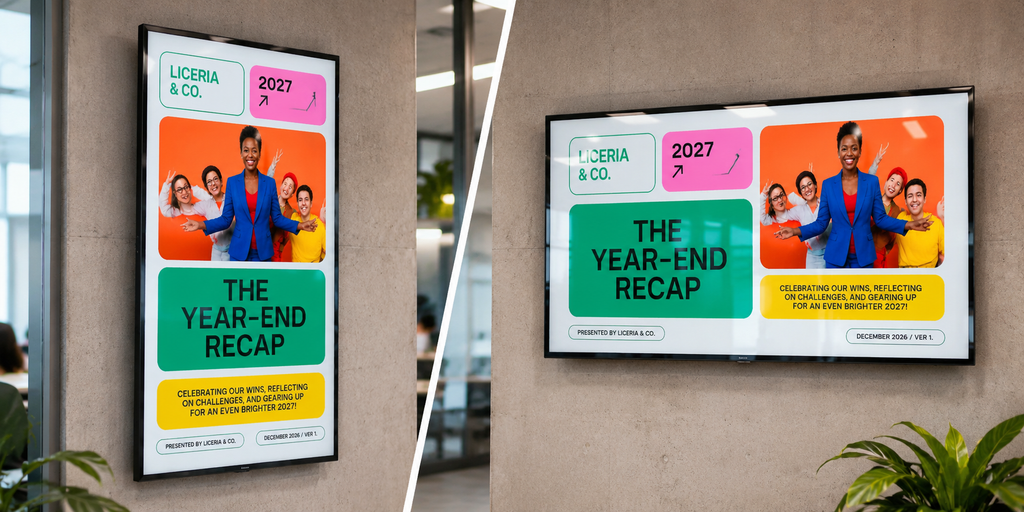
With Netpresenter, both orientations are supported, and the content adjusts to the screen automatically, so you do not have to decide on a format before you start building your slides. Hang a screen in portrait, and it simply shows your content in portrait. If you want to know more about how that works, take a look at our Digital Signage software.
Type of screens for Digital Signage
Now, you can determine what kind of screen you need. Manufacturers love to slap all kinds of fancy abbreviations on their televisions, like LCD, LED, OLED, QLED, and so on. Just forget about most of them immediately. OLED, for example, really is not suited for digital signage, as these screens are prone to ‘burn-in ’, just like Plasma screens. Stick with the classic LCD or newer LED screens for digital signage.
LCD and LED screens all basically work the same way and are perfect for digital signage. LED screens, thanks to the more advanced backlight technology, are brighter while using less power and generating less heat. They often support the latest video technologies like 4K (higher resolution) and HDR (better colors). They are also more expensive than older LCD screens.
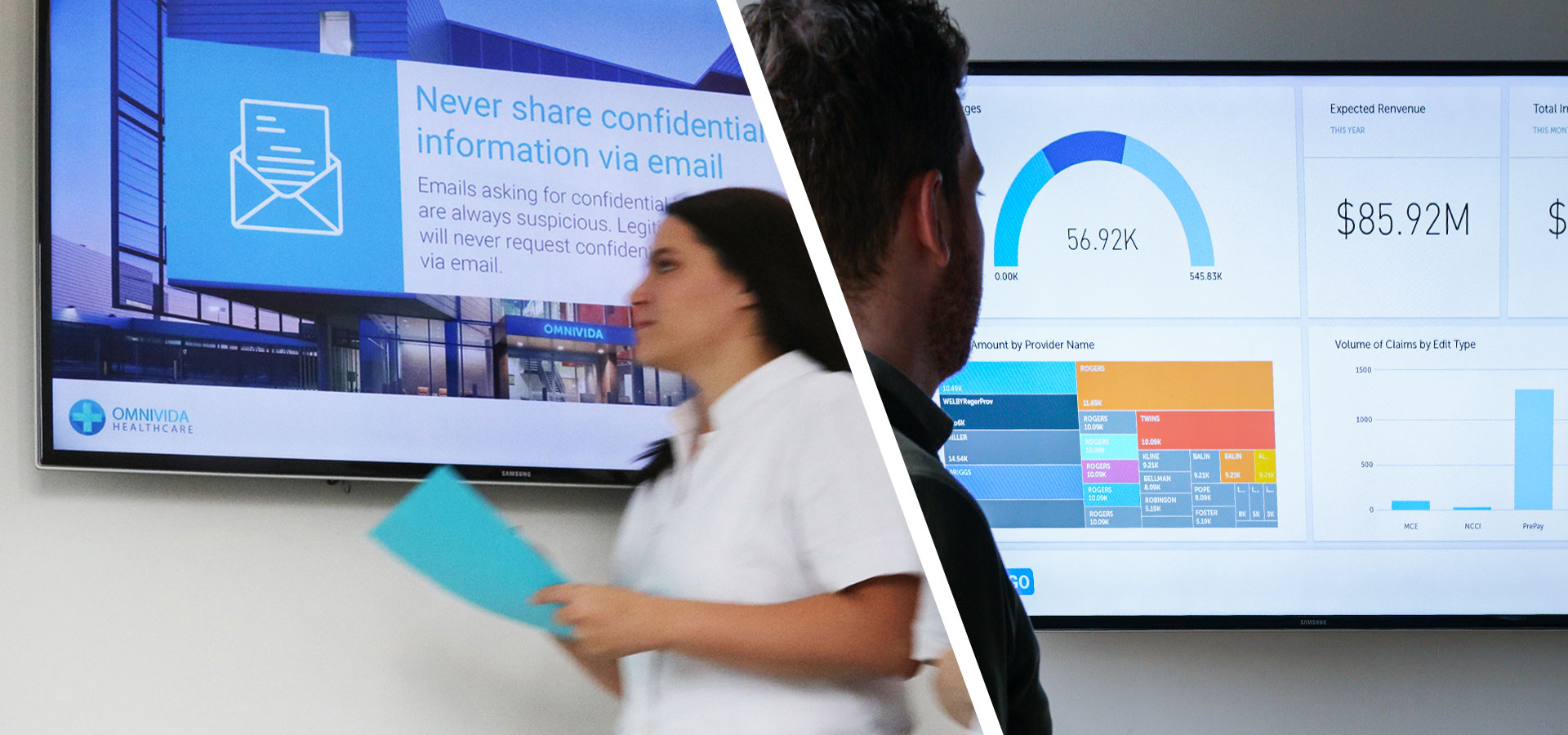
Higher brightness might be useful in well-lit environments, and better resolution might be useful depending on your content, but at the end of the day even a cheap LCD TV will do the trick. Once again, it all depends on what you want to use it for. Ask yourself: do you really need to show the canteen menu, a team dashboard, or the welcome message for today’s visitors in 4K HDR with the best technology money can buy? Probably not.
One thing that is easy to overlook: the brightness of a regular TV, usually somewhere around 300 nits, is plenty for a corridor, a canteen or a waiting room, but a screen in a lobby full of daylight or facing a window needs considerably more, so check the specifications before you buy.
Additional hardware to display your content
You should also think about how you want to show your content on the screen. Some screens run the software themselves, such as a smart TV with Android TV or Google TV, where you simply install the app from the store. For every other screen, you connect a media player over HDMI, which can be a small stick, a box, or a PC you already have. Which setup fits your situation, and the difference between a consumer TV and a commercial display, is covered in our blog on how to choose the best Digital Signage hardware.
Still have questions about choosing the right screen? Let’s talk. We are happy to think along with you and share our experience, so you end up with a screen that fits your space and your content.