How to Choose the Best Digital Signage Hardware
Estimated reading time: 7 minutes
Digital Signage hardware consists of two parts: a display and a media player that runs the software. The player can be a separate device connected over HDMI, or built into the screen itself. Which combination is best depends on what you show, how many hours a day the screen runs, and how many screens you end up with.
Most of the attention goes to the screen, but the player is what decides whether the content keeps playing. Below are the choices that matter in both, and what each one means in practice.
Table of contents
Consumer TV or commercial display?
The main difference is how long the screen is designed to run. A consumer TV is built for a few hours of viewing a day and carries a shorter warranty, which is fine in an office, a reception, or a canteen, and it is the cheapest way to start. A commercial display is rated for continuous operation, usually 16 or 24 hours a day, is brighter, and comes with a longer commercial warranty, which makes it the better choice when a screen runs day and night or hangs in a bright lobby.
The environment decides the rest. Dust, moisture, heat, and vibration shorten the life of a consumer TV, so in a production hall, a warehouse, or a kitchen, a commercial display is usually worth the extra cost, especially since some models are built to resist dust. There are two practical differences people discover too late as well: a consumer TV showing the same layout all day can develop burn-in over time, and commercial displays can be scheduled to switch themselves on and off, while on a consumer TV that is often limited or missing.
Everything about screen size, viewing distance, and screen type is covered in our blog on how to choose the best screens for Digital Signage.
Built into the screen or a separate player?
A screen with an app store, running Android TV or Google TV, can run the software itself. You install the app, log in, and it plays. No extra device, no extra cable, and nothing behind the screen to reach later, which makes it the tidiest setup and often the obvious choice when you are buying new screens anyway. The trade-off is that you depend on that screen’s platform: if the manufacturer stops updating it, you are replacing a screen rather than a small device, and the specs are fixed, so a screen with little memory will keep struggling with video or dashboards.
A separate player works the other way around. It turns any screen with an HDMI port into a Digital Signage screen, including screens you already have, and it is independent of the screen brand. When the player ages or fails, you swap a device that costs a fraction of the screen. That is also why organisations with several locations usually prefer it: one device type across every site, regardless of which screens hang there.
Which player fits your situation?
For a handful of screens, almost anything works, so the simplest option is usually the best: a screen that runs the software itself, a small media player, or a PC that is no longer in daily use. Stability matters more than performance, because the content is rarely demanding at this scale.
Once you move beyond a few screens, or spread them across locations, the device matters less than the consistency. Using the same model everywhere means the same setup, the same behaviour, and far less support. This is also the point where it pays to step up to something stronger, so HD and 4K video, dashboards, and several zones on one screen play without stuttering. For an enterprise rollout, a Windows mini PC is the usual answer. Not because the content demands it, but because the device stays inside the environment IT already manages, with the same group policies, security settings, and update process as every other PC in the company. It costs more per device and needs the same maintenance, which is exactly why IT often prefers it. And in a production hall or warehouse, the environment decides more than the specs. You want a device that recovers by itself after a power cut, keeps playing when the network drops, and sits somewhere it will not collect dust.
Which device is in practice changes constantly, because models come and go. Our hardware recommendations list tested devices for each of these situations, from a small setup to an enterprise rollout, with specifications and indicative prices, and compares consumer TVs and commercial displays side by side.
What should you arrange before the screen goes up?
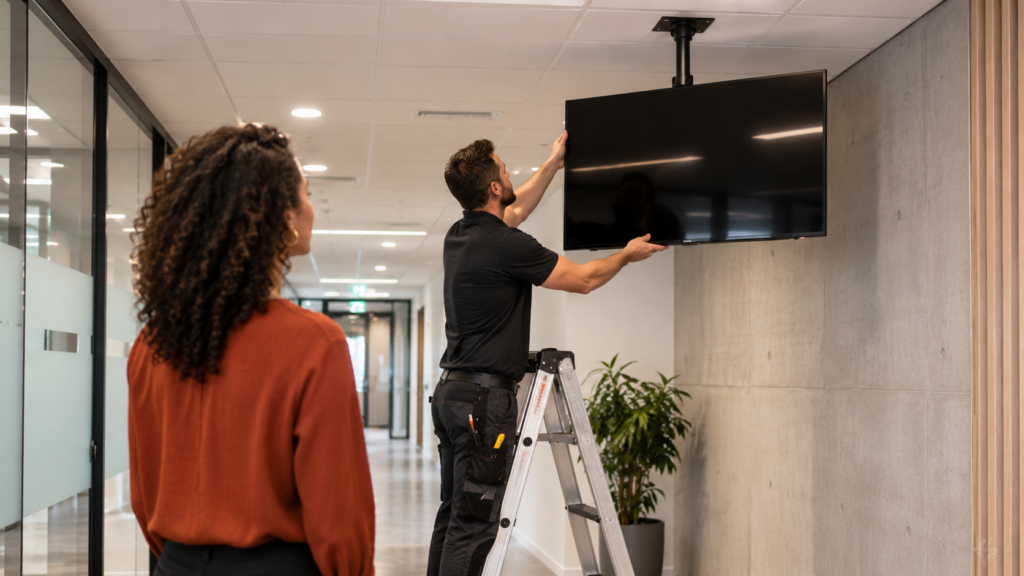
The practical side gets planned last and causes the most trouble. Before anything is ordered, check three things at the spot itself: whether there is a power socket within reach, whether there is a network point or decent wifi coverage, and whether the wall can carry the screen. A plasterboard wall needs different mounting than concrete, and the VESA pattern of the display has to match the bracket. In a public area such as a lobby or a canteen, an anti-theft bracket is worth considering, since it locks the screen to the mount and makes it far harder to take off the wall. Think about the player too, because it usually sits behind the screen, out of sight, which is fine until it needs replacing. Make sure you can reach it without taking the screen down. And decide how the screen switches on and off, because a commercial display can be scheduled while a consumer TV often needs a socket timer.
The other thing worth arranging up front is how much you can do from a distance. As soon as you have more than a handful of screens, walking to one to see why it is blank, or driving to another site to check on it, is the part of Digital Signage that quietly eats hours. You want to be able to see from your desk whether a screen is online and what it is playing, so you know something is wrong before someone tells you. What the player does on its own matters just as much: a device that comes back by itself after a power cut and starts playing without anyone logging in saves a trip. Platforms differ in how much they let you manage remotely, so it is worth asking what you can see and change from a distance, and what still needs someone on site.
What should you check before you buy?
Whatever you choose, check which devices your software supports, because not every platform runs on every device and a cheap player that is not supported is not cheap. Buy a little above the minimum requirements, so the device still copes when your content gets heavier, and make sure it still receives security updates: for Android, that means a Google-certified device. It also helps to pick a model you can still order next year, so every new location can run the same one, and to think about how long you expect to use it. A screen often lasts years longer than the device behind it, so a player is something you will replace at some point, which is another reason not to over-invest in the first one.
Security is worth a conversation with IT early on, because a player is a device on your network like any other. The questions that come up are usually about who can access the device locally, how updates are handled, and whether screens belong in a separate part of the network. Involving IT at this stage is quicker than explaining it afterwards. And if you are still unsure, test it: order one device, hang one screen and let it run for a week with the content you actually want to show. That tells you more about stability and image quality than any specification sheet. We did the same with a budget player, and you can read how it held up over a week of mixed content.
Start with what fits today
There is no single best Digital Signage hardware. A screen that runs eight hours a day in a quiet office needs something different from one on a factory floor, and the right setup is the one that fits the place, the content, and the people who have to keep it running. That also means you do not have to get it right for twenty screens before you hang the first one. Start with what fits today, see how it behaves, and let the next location benefit from what you learned.
Not sure what fits your building? Let’s talk. In a short call, we can tell you what would work in your situation.