5 Ways Digital Signage Benefits Logistics
Estimated reading time: 5 minutes
Digital Signage helps logistics organisations reach the people who keep goods moving: pickers, forklift drivers, order processors and the temps who started this morning. Screens at the entrance, in the canteen, on the floor and at the gate carry shift planning, safety rules, today’s priorities and instructions for visiting drivers.
In a warehouse, almost nobody has a desk, and almost nothing stays the same for long. Containers arrive at three in the morning, shifts change at six, and one urgent delivery can rearrange the whole loading schedule. Here are five ways Digital Signage keeps everyone on the same page.
Table of contents
1: Reach people who have no desk and no inbox
Pickers, forklift drivers, and warehouse staff spend their shift on the floor, not at a screen. Many have no company email address at all, and those who do have no moment during a shift to open it, so a message sent at nine in the morning reaches the office immediately and the warehouse not at all. What does reach them is what they walk past: the entrance, the time clock, the canteen, the locker room. A screen in those places asks nothing of them, no app and no login, and it shows the same information to the whole shift at once. That also makes it the place for the company news the warehouse usually hears last, or never.
2: The planning changes by the hour, and so does the screen
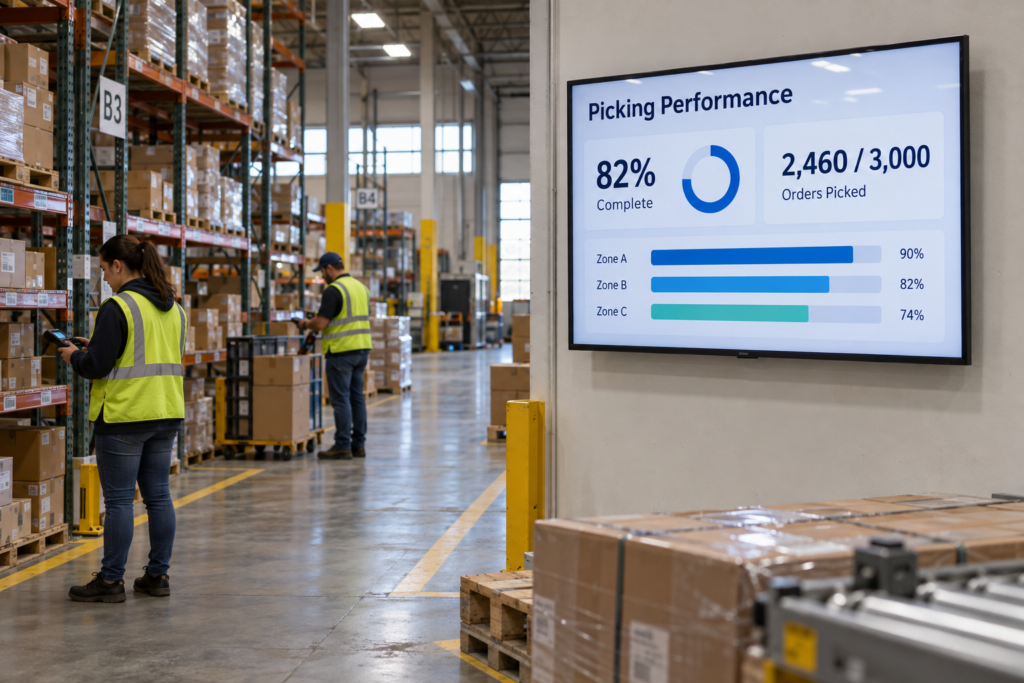
In logistics, the plan changes by the hour. A late arrival, an urgent order or a loading bay that is blocked rearranges the rest of the day, and the people who need to know are the furthest from the planner’s screen. A screen on the floor can show today’s outbound schedule, which truck leaves from which bay and at what time, and what still has to ship before the end of the day. And the numbers do not have to be retyped: if your team already tracks them in a dashboard such as Power BI, the screen follows that source and changes when the data changes. Hoenderdaal Fasteners did exactly that, and now every department sees its Power BI dashboards on screen instead of searching for the data, including colleagues who do not work at a desk.
3: Tell visiting drivers what they need before they ask
Every day, drivers arrive who have never been to your site. They do not know where to report, where to park, which gate to use, or what protective equipment is required, so they ask at the gate or guess, and both cost time. A screen at the gatehouse or in the driver waiting area answers it before anyone asks: site rules, required equipment, where to wait, and how long. For drivers who do not speak the local language, the same information can be shown in more than one language, which solves a problem that a paper handout at the gate never will.
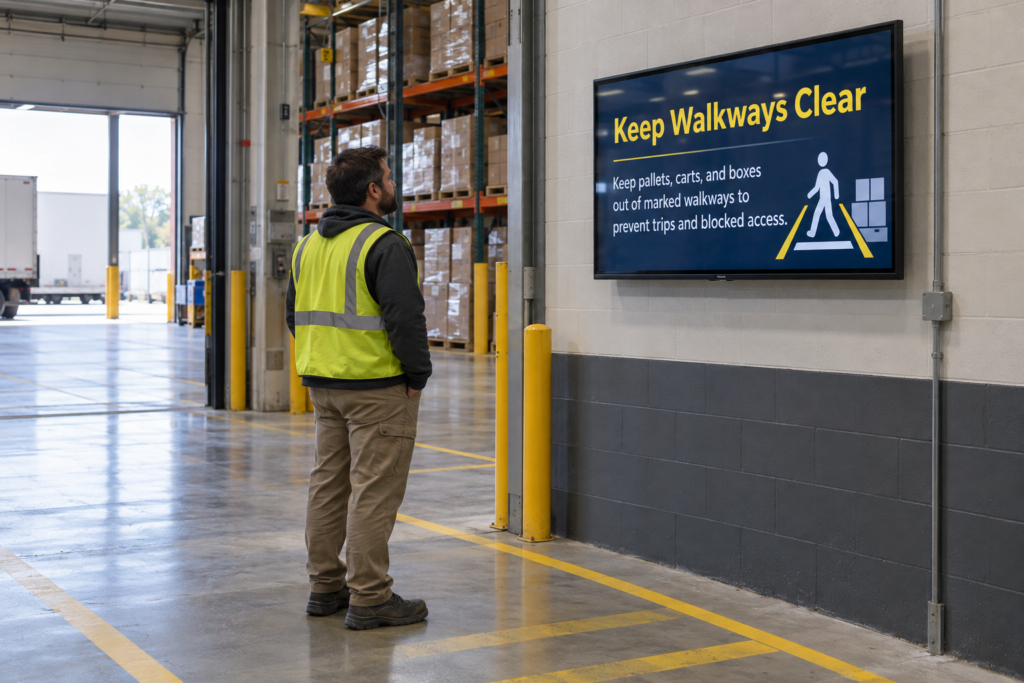
4: Keep safety visible on a floor full of moving equipment
A campus is confusing for anyone who is new to it, and the first weeks of term are when that costs the most time: first-years looking for a lecture hall, exchange students finding the registration desk, visitors arriving for an open day. Printed signs cannot keep up, because departments move more often than the signage is replaced. A screen in the lobby can show a live directory, a floor plan, or directions to the right room, and it can point people to another route when a corridor is closed for work. It also saves time at the front desk, where the same question would otherwise be answered thirty times a morning.
5: Get temporary staff up to speed faster
Logistics runs on peaks, which means new people start every week, often through an agency and often for a few days. They arrive without an account, without an introduction, and without knowing where anything is, including the muster point. Screens take a lot of that off the shift leader’s plate: where to find the locker room and the canteen, how the shift is organised, the rules of the floor, and what to do if the alarm goes. Because the content keeps repeating, someone who starts on Thursday gets the same information as the person who started on Monday, without anyone running through it again.
Getting started in your warehouse
Start with one location and the place where the most information gets lost today, which in most warehouses is the entrance or the canteen. Decide who publishes, what the first few slides are, and who keeps them current, because a screen that nobody owns goes stale within a month, and on a warehouse floor that is noticed immediately. From there, grow by adding locations rather than by adding content. For more on what to look for in the software, see our guide on how to choose the best Digital Signage software, or explore what Digital Signage for logistics looks like in practice.